
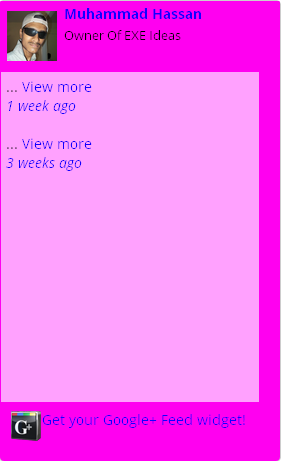
Show off your Google+ public stream on your Blog or Website with our exclusive Widget! Make your own Google+ Feed Widget. The look and style of this sleek widget is fully customizable. When you’re done tweaking it to your satisfaction, just grab the code and paste it on your website or blog, wherever you want it to appear!
Features:
1.) It Will Show Your Live Stream.
2.) It Will Also Show TimeStamp.
3.) It Will Provide Your Profile Pic With Your Name And Caption With Link.
4.) Simple And Awesome To Use.
5.) Quick To Load And Easy To Install.
6.) Easily Match Your Template With Customization.
2.) Just Have A Look On The Highlighted Part Of The URL In The Address Bar As Seen In Pic.
3.) Just Copy That Numbers From The URL.

3.) Just Copy That Numbers From The URL.
Now Get Your Widget Code?
CLICK HERE TO GET CODE
How To Add In Blogspot?
1.) Go To Your www.blogger.com
2.) Open Your Desire Blog.
3.) Go To Layout.
4.) Click “Add A Gadget” Where You Want To Add It.
5.) Now Scroll To “HTML-JAVASCRIPT”
6.) Click “+” Icon To Add It.
7.) Now Copy The Code From The Website And Paste It To There.
8.) Leave The Title Empty.
9.) Click Save, Now You Are Done.
How To Add In Website?
1.) Just Go To Your HTML File.
2.) Now Copy The Below Code And Paste It Between <body> </body>.
3.) Save It, Now You Are Done.
Customization:
1.) You Can Customize Width, Height, All Colors From The Widget Generator.











This is pretty cool! I think it’s better than having a Twitter widget, since most people see that one anyway. Thanks!
You Are Welcome…