
Salesforce is built to scale, but your implementation doesn’t automatically scale with it.
What starts as a clean, efficient CRM can slowly turn into a system filled with duplicate data, unused fields, broken automation, and frustrated users. The challenge is that these issues don’t appear overnight. They build quietly until performance, productivity, and decision-making start to suffer.
A Salesforce health check helps you catch these issues early before they impact revenue.
If you’re wondering whether your org needs attention, here are five clear warning signs and what you can do to fix them.
Table of Contents
What Is a Salesforce Health Check?
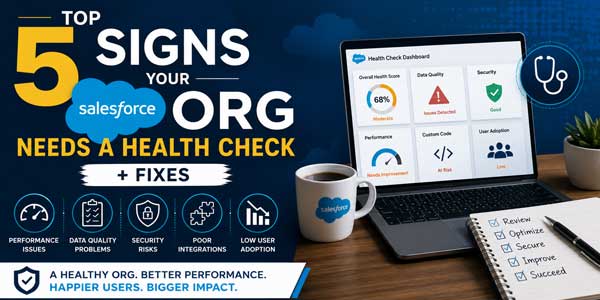
A Salesforce health check is a structured evaluation of your CRM to assess how well it performs across critical areas such as:
- Data quality and consistency
- Automation and workflows
- Security and user access
- System performance
- User adoption
While built-in tools like Salesforce Optimizer provide a snapshot, a comprehensive health check goes deeper, connecting technical gaps to real business impact.
It’s not just about fixing issues. It’s about ensuring your CRM supports growth instead of slowing it down.
5 Signs Your Salesforce Needs a Health Check
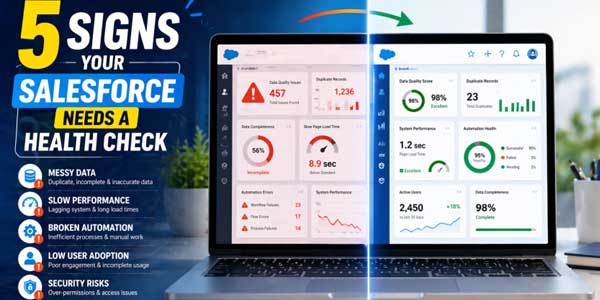
1.) Your Data Can’t Be Trusted:
What’s happening:
- Duplicate leads and contacts
- Missing or inconsistent fields
- Different teams use different data formats
Why does it matter?
Poor data quality leads to inaccurate forecasts, ineffective campaigns, and unreliable reporting. Over time, teams stop trusting the system altogether.
In fact, inconsistent data is one of the biggest reasons organizations struggle with decision-making in Salesforce.
What to do?
- Implement validation rules and required fields
- Set up deduplication and matching rules
- Define clear data ownership across teams
- Standardize data entry processes
Clean data is the foundation of a healthy Salesforce org.
2.) Reports Don’t Reflect Reality:
What’s happening:
- Leadership questions dashboard accuracy
- Sales pipeline doesn’t match actual deals
- Teams report conflicting numbers
Why does it matter?
When reports are unreliable, decisions are delayed—or worse, made based on incorrect insights.
A health check helps align reporting with actual business performance by identifying gaps in data and logic.
What to do?
- Audit report filters and logic
- Align KPIs across departments
- Fix underlying data inconsistencies
- Standardize dashboard structures
Better reporting starts with better inputs.
3.) Your Team Is Doing Too Much Manual Work:
What’s happening?
- Reps manually updating records
- Repetitive admin tasks
- Delays in follow-ups and lead assignment
Why does it matter?
Manual processes reduce efficiency and increase errors. Over time, they also lead to poor CRM adoption.
Many underperforming CRM systems lack proper automation or suffer from inefficient workflows.
What to do?
- Replace outdated automation with Salesforce Flow
- Automate lead routing, task creation, and notifications
- Eliminate redundant processes
- Regularly review automation logic
Automation should simplify work—not create more of it.
4.) User Adoption Is Low:
What’s happening?
- Teams rely on spreadsheets instead of Salesforce
- Records are incomplete or outdated
- CRM usage drops after onboarding
Why does it matter?
Even the best Salesforce setup fails if users don’t adopt it. Low adoption leads to incomplete data, poor visibility, and disconnected teams.
Often, the issue isn’t resistance—it’s complexity.
What to do?
- Simplify page layouts and remove unnecessary fields
- Customize the interface based on user roles
- Provide ongoing, role-based training
- Collect feedback from actual users
A usable system drives adoption. Adoption drives ROI.
5.) Your Salesforce Org Feels Slow or Overcomplicated:
What’s happening?
- Long load times
- Too many fields, objects, or automations
- Difficulty making updates or changes
Why does it matter?
As your org grows, outdated configurations and unused features can slow performance and increase technical debt.
Over time, this makes your system harder to maintain and scale.
What to do?
- Remove unused fields, objects, and workflows
- Consolidate overlapping automations
- Optimize page layouts
- Review and clean up integrations
A streamlined org is faster, easier to use, and more scalable.
Hidden Risks Most Businesses Miss:
Even if everything “seems fine,” many Salesforce orgs carry hidden risks:
- Over-permissioned users exposing sensitive data
- Legacy automations from past implementations
- Outdated integrations are causing sync issues
- Lack of documentation for processes and configurations
A health check brings these issues to light before they become costly problems.
What Should a Proper Salesforce Health Check Include?
A complete health check evaluates:
- Data quality and duplication
- Automation and workflow efficiency
- Security and access controls
- System performance and load times
- Integration health
- User adoption and usage patterns
The goal is not just to find issues but to prioritize improvements based on business impact.
When Should You Run a Salesforce Health Check?
You don’t need to wait for problems to escalate.
A health check is especially important when:
- Your business is scaling rapidly
- You’ve recently implemented Salesforce
- You’re adding new integrations
- Your team is growing
- Reports are being questioned
Regular reviews help prevent issues instead of reacting to them later.
How Perigeon Software Approaches a Salesforce Health Check?
A Salesforce health check is only valuable if it leads to clear, actionable improvements.
Running reports or reviewing scores is not enough. The real impact comes from understanding what those insights mean for your business and what to do next.
At Perigeon Software, we take a structured, outcome-focused approach to ensure your Salesforce org is not just assessed, but improved in a meaningful way.
Here’s how that process works:
Step 1: Business Discovery and Goal Alignment
Every health check starts with context.
Before diving into the system, we work closely with your team to understand:
- Your business objectives
- Current challenges and bottlenecks
- Key processes that rely on Salesforce
This step ensures the audit stays focused on what actually matters to your business, not just technical metrics.
Step 2: System Analysis with Tools and Expert Review
We combine automated analysis with hands-on evaluation.
Using tools like Salesforce Optimizer alongside manual review, we assess:
- Data quality and duplication
- User permissions and security setup
- Automation and workflow efficiency
- System performance and load issues
- Integrations and dependencies
This hybrid approach helps uncover both obvious issues and deeper inefficiencies that tools alone might miss.
Step 3: Issue Prioritization Based on Business Impact
Not every issue needs immediate attention.
We categorize findings based on severity and impact, helping you clearly understand:
- What needs urgent action
- What can be improved over time
- What is already working well
This prioritization makes it easier to allocate resources and avoid unnecessary changes.
Step 4: Clear Reporting and Actionable Roadmap
Insights are only useful if they lead to action.
We provide a detailed report that includes:
- Identified issues and risks
- Business impact of each finding
- Recommended solutions
- A step-by-step improvement roadmap
Instead of generic suggestions, you get a clear path forward with defined priorities.
Step 5: Implementation and Ongoing Optimization
A health check should not end with a report.
Depending on your needs, our team can:
- Support your internal team during implementation
- Directly resolve critical issues
- Guide long-term optimization efforts
The goal is to ensure your Salesforce org is not only fixed but also prepared to scale with your business.
Final Thoughts:
A Salesforce org rarely fails all at once. It declines gradually through messy data, inefficient processes, and growing complexity.
The sooner you identify these issues, the easier they are to fix.
If your system is showing even one of these signs, it’s worth taking a closer look.
FAQs:
What is a Salesforce health check?
A Salesforce health check is a detailed audit of your CRM system to evaluate performance, security, data quality, and user adoption.
How often should a Salesforce health check be performed?
It depends on your org size, but most businesses should conduct it at least once or twice a year.
Is Salesforce Optimizer enough?
Salesforce Optimizer is a useful starting point, but it doesn’t cover deeper business logic, adoption challenges, or long-term optimization.
Can I perform a Salesforce health check myself?
Yes, but for deeper insights and strategic improvements, many businesses work with experienced Salesforce partners.
 About the Author:
Hi, I’m Vishal Patel, an SEO Executive and content writer focused on boosting organic visibility and creating meaningful content experiences. With over two years of hands-on experience, I stay aligned with evolving SEO trends to help businesses grow sustainably. At Perigeon, I work on turning complex business ideas into clear, actionable insights that attract the right audience, enhance engagement, and support long-term digital growth.













Be the first to write a comment.