
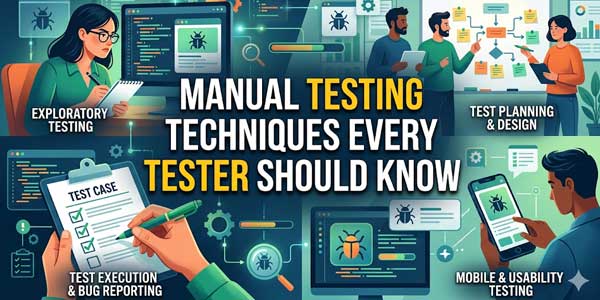
Manual testing is the most basic aspect of usability testing, as it makes sure that software applications work well and provide the smoothest experience for final users.
Quite different from automated testing, manual software testing is all about the human effort to check the software performance and find bugs. It remains focused on actual scenarios and the perspective of the final users.
In this blog, we will provide in-depth information on QA manual testing, its importance, types, and processes.
Table of Contents
Why should you Perform Manual Testing?
This testing is extremely important in some situations despite the major advancements in automation tools. Here’s why you should know:
Human Perspective Perception:
Manual testing not only verifies the user interface but also focuses on usability aspects from the point of view of a real end user. These small things are always missed by automated tools.
Exploratory Testing:
Manual testing gives space for dynamic and exploratory testing, uncovering issues that are not expected and that most of the scripted tests might miss.
Accessibility Testing:
There are tools like screen readers that are most of the time tested manually to make sure that there is inclusivity for each user.
Actual Scenarios:
Manual testing helps you to confirm software behaviour under actual scenarios, making sure that they are reliable.
Did you know that Manual testers most of the time make sure that you get a bug-free and user-friendly application by focusing on all these areas?
What are the different types of Manual Testing?
Well, manual software testing has different types; each type is designed to cater to a specific software functionality and quality. These testing types play the biggest role in ensuring that a comprehensive software application evaluation is performed from different viewpoints.
1.) Black Box Testing:
I am sure you are familiar with the name of black box testing. This process tests the software’s functions without any participation in its coding. Testers keep all their concentration on upcoming inputs and outputs so that the software works properly. This technique is quite helpful in testing the user interface, functionalities, and data inputs of the software without knowing about programming at all.
2.) White Box Testing:
Also known as structural or code-based testing, this type of testing includes examination of the software’s source code and structure. The highly skilled testers perform tests on sections of the source code in order to find threats and implement good logic in the program.
3.) Grey Box Testing:
When the varied facets of black-box testing and white-box testing are merged together, grey-box testing is formed. Grey-box testing examines the functioning of the software application along with the inner workings of the code to some extent.
4.) Unit Testing:
This testing type thoroughly goes through the individual software components in total isolation. It also makes sure that every unit performs as expected, focusing on some of the mini-testable parts of the application.
5.) Regression Testing:
Regression testing, which is performed after certain updates or changes, makes sure that new changes do not disrupt the previous functionality and validates that the application is fully stable and does not change across any of the versions.
6.) Accessibility Testing:
Accessibility testing aims to ensure that the software is usable for individuals with certain disabilities. Testers check the compatibility with the help of tools like screen readers and thoroughly test the features for compliance with certain standards of accessibility.
7.) Performance Testing:
For performance testing, testers also evaluate the performance of the software under different loads, identifying the issues with the aid of latency, scalability, and resource usage.

What are the different Stages of Manual Testing?
We all know that QA Manual testing involves a properly defined procedure that ensures proper evaluation and good enough identification of issues within a software app. Below, we have mentioned some of the stages that outline the systematic approach adopted by manual testers for achieving complete, comprehensive test coverage:
Analysis of Requirements:
Well, this is the basic stage, during which the testing team comes together with each of the stakeholders to understand the software requirements. Testers identify the expected outcomes of the software, the target audience, and the significant functionalities.
They also mark out the scope of testing, focusing solely on the possible test scenarios and the expected user behaviours to ensure that all the accountable aspects of the software are taken care of.
Test Planning:
During the test planning phase, a detailed test plan document is developed. This document precisely outlines each test objective, strategy, resource, schedule, and test coverage. The test planning document also serves as the road map, steering the whole testing process in the right direction. Moreover, it identifies many potential risks and dependencies to ensure that the testing process matches the project’s final goals.
Test Cases Preparation:
The testers start preparing test cases based on the requirements and scenarios identified. These test cases contain step-by-step guidelines, test inputs, user results, and acceptance criteria.
Preparing test cases properly helps provide coverage for all functionalities, which minimises the risk of overlooking any significant defects.
Test Execution:
Testers execute the test cases manually, interacting with the software to test whether it behaves the way it should. Every step is carefully tracked, and deviating from the expected output is handled with the ultimate precision. This phase also keeps validating the UI, functionality, and performance under actual scenarios.
Tracking of Bugs:
In case you encounter defects or inconsistencies identified during test execution, you must know that these are documented with the use of bug-tracking tools. Each bug report includes an in-depth description, severity, reproducing steps, and screenshots to help the dev team handle the issue most effectively.
Test Report Generation:
As soon as testing is finished, a comprehensive test report will be designed. This report includes the execution of test results, identified bugs, and software performance from head to toe. It provides the most actionable insights to the development team for further improvement before the final deployment.
How To Do Manual Testing?
Performing manual QA testing is all about having a well-organised procedure that ensures thorough evaluation of the software. Here is a beautifully detailed guide that will teach you how to smartly perform this testing:
1. Understand the Requirements:
The first step is to analyze the software requirement and the specific software requirements. By doing this, you will ensure that you have understood the functionality of the application. In addition, it helps you to generate the best possible test cases. You must directly begin working with the developers to get to know where you need to concentrate.
2. Create Test Scenarios:
The next important thing for you is to design test scenarios that reflect the real-world situation. The test scenarios should be designed using normal and edge cases to ensure that the application works correctly in all conditions. For this purpose, you need to put yourself into the shoes of the end-user.
3. Develop Separate Test Cases:
For every test scenario in the world, you need to create detailed test cases. These test cases must have understandable steps, expected outcomes, and data inputs. Include each of the execution steps, preconditions, and postconditions to confirm the total clarity as well as repeatability. This way, the testers get to verify the app’s behaviour systematically.
4. Execute Test Cases:
Follow each and every test case, manually interacting with the application to check that it fulfils the expected outcomes. It should stick to the expected outcomes. Keep a careful eye on the app’s response to different inputs, noting down discrepancies or weird behavior of any kind.
5. Bug Logging:
Document any of the issues that pop up at the time of testing with the use of smart bug-tracking tools like Jira and Bugzilla. You can also give the proper, in-depth information, with all the steps to reproduce the bug, screenshots, and the expected results vs the actual results, to help the development team resolve the issues efficiently.
6. Retest and Regression Testing:
After fixing the bugs, test again and again to confirm the issues that have already been resolved. Conducting certain rounds of regression testing will ensure that the fixes have not introduced bugs or affected the previous functionality.
By using manual testing tools and sticking to this well-structured procedure, testers can make sure that there is a good enough evaluation and contribute to the delivery of the highest quality software.
Conclusion:
Manual testing is highly important in software testing processes. Manual testing goes side by side with automation testing to make sure that there are no bugs in the software application being tested in order to provide high-quality software applications. Smart testing techniques and tools used in manual QA software testing help organizations in meeting the functional requirements of their software applications and also the user interface.
Though it takes much time, the real purpose behind manual testing of software applications is whether the end user is satisfied or not with the software application.
 About the Author:
I am Shivansh Shukla, author of this Article. I am writing to explore the possibility of contributing a articles to your platform. We would be happy to provide a well-researched, original, and informative article that aligns with your content guidelines and adds genuine value to your readers.













Be the first to write a comment.