
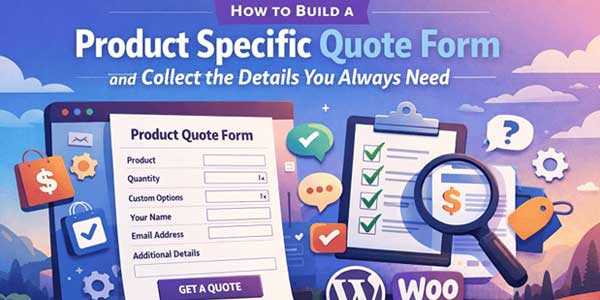
Collecting all the information you need from customers before giving them a quote can be frustrating if you don’t have the right system. Sometimes customers forget to mention critical details, other times they are vague, and then you end up going back and forth by email trying to figure things out. This is exactly why a request quote WooCommerce approach makes so much sense.
A request a quote for WooCommerce lets you build product-specific quote forms that capture all the details you want without making the customer feel overwhelmed or confused. And yes, it also makes your own life way easier.
Table of Contents
Why Product-Specific Quote Forms Are Important?
Not all quote forms are made equal. A generic form asking just for name, email, and message might sound simple and neat, but it often leaves out the information that actually matters, like dimensions, quantity, or custom requests. Product-specific forms solve that. Each form can be designed around the product with ease so that all submissions contain everything you need, leading to the most accurate quote.
For instance, if you are selling custom t-shirts or clothes, it is more suitable to provide fields that include the colour, the size, and the printing design for the said clothes. On the other hand, if you are selling furniture, you can now ask for dimensions, the material of your preference, along with finishing options.
This is exactly the type of form that will help you reduce back-and-forth bickering with your customers and actually make them feel understood for once! They will feel like you care about all the specifics on whatever they need.
Installing and Getting Started With the Plugin:
For most people, getting started is the hardest part, but in truth, this is the easiest. First, you simply need to install the Request a quote for WooCommerce plugin of your choice through the WooCommerce marketplace, after which you will have to upload the zip file of the plugin straight from the documentation page.
After you have installed your plugin, you simply have to go to your dashboard and activate it, after which you will be able to create your own custom forms. You can also find the setup process on the documentation page of the plugin, which walks you through all the main steps. You can create a new quote form and link it to a product. Adding fields is easy. You can add text boxes, number inputs, dropdowns, checkboxes, and even file upload options if you need customers to submit images or design files.
The plugin’s documentation is very helpful here because it shows how each field type works, how to make certain fields required, and how to customise the layout of your form so it looks clean on your product page. Placement of the form matters a lot. You want it visible and relevant, usually on the product page itself. Some plugins allow shortcodes so you can insert forms anywhere on the page or even on multiple pages if needed.
Once a form is submitted, a confirmation message can appear to reassure the customer that you received their request, and you can also set up automatic email notifications to alert yourself or your team.
Customising Fields to Collect Precise Details:
Think about the type of information you really need and how to ask for it. Text fields work for descriptions, dropdowns help guide choices, and number fields are perfect for quantities or measurements. File uploads are extremely handy if your product can be personalised and you need reference designs.
Conditional fields are a feature you should take advantage of. This means a certain field only shows up if a specific option is selected. For instance, if a customer chooses a “custom engraving” option, a new text box could appear where they type in the engraving message. This keeps the form simple but also ensures you collect the details you need.
Managing Submissions Effectively:
It is very important that you keep track of your customers’ quotes once they have submitted them. The request a quote plugin gets integrated with your WooCommerce dashboard so that you can see all submissions based on product and customers, being organised accordingly. From there, you can view, edit, and respond to each quote without requiring any additional tools.
It’s smart to create template responses for common situations. For example, a quick message thanking them for submitting the quote request and letting them know when they’ll hear back. This speeds up your workflow and improves the customer experience because they get immediate feedback that their submission is being handled.
Tips for Maximising Form Engagement:
Your form needs to be as simple as possible, while it is able to collect all the necessary details from your customers. Simplicity is crucial because long and detailed forms might end up confusing your customers and driving them away. It is better to break your form into sections if necessary, and use headings or short instructions to make each field clear.
It is crucial to keep your forms mobile-friendly since many users today browse online stores through their smartphones. You will lose a lot of potential customers if you miss out on optimising your forms for mobile phones, so keep an eye out for that. Also, make sure to test-run the form on multiple devices, making sure that it is easily readable, easy to fill out, and easy to submit or not.
If your products have multiple variations, the form should adapt dynamically based on selections. For instance, if someone picks a larger size or a special material, the relevant fields should appear automatically to collect extra info only when needed.

Plugin Versus Custom Code:
Many of you might be surprised to know, but yeah, a product-specific quote form can also be made with the help of coding. However, there is a difference between “if” and “how” here. Although possible, a quote form through coding will complicate things for you pretty fast.
Things such as field validations, file uploads, conditional logic applications, and integration with WooCommerce orders are just a few things you will have to face, and that is IF you know how to code. Even then, you will have to put in a lot of time, and it requires a ton of technical expertise to get things right.
On the other hand, a request a quote for WooCommerce handles this whole quote form-making process for you straight out of the box, without having you worry about it anymore. This allows you to focus on improving your custom forms and improving your workflow rather than getting tangled up in code debugging processes.
An additional plus is that the plugin itself also monitors conversions along with submissions. This will help you assess which product gets the most quote requests.
Mistakes That You Should Avoid:
Don’t make the mistake of scaring away your customers by displaying a ton of fields before them. This might drive them away, believe it or not. What you must do is focus on all the essential options and use every field sparingly so that you remain specific. Also, you must specify what kind of upload file formats, along with the maximum size, suits you best (helps avoid confusion later on).
Also, you must keep on testing and checking if your form is working correctly, since bugs and issues arise on occasion. Other than that, you can also test the flow of submission, whether or not you get the notifications, and how well the forms are visible on the product page is
Clean out all the small errors as well, so that you can avoid any lost quote requests.
In Summary:
If you want to change the approach of gathering customer interaction while interacting with all your potential buyers, you need to create quote forms that are specific to your products. And so far, we have learned that this can be done with ease using the request quote WooCommerce plugin without breaking a sweat!
If you want to add custom fields, apply conditional logic, offer file uploads, and also manage any submissions directly from your WooCommerce dashboard, the request a quote for WooCommerce will get your job done.
Online stores aren’t all about sales and getting that revenue; sure, that may be a primary goal, but, to make that possible, you always need to add little tweaks here and there. Speaking of tweaks, you can start off by making your workflow smoother, so at least you can get rid of any hurdles slowing down your own work. Secondly, you can finally get rid of emails that just go back and forth while ensuring that all of your quote requests contain only the necessary information.
This benefits you as well as your customers since things will be easier for you to operate this plugin, and your customers will get a much better experience. This is also how you get better leads, allowing you to convert even more! Simply put, if you use this plugin, you make the process straightforward, despite having multiple products with different requirements each.
In simple terms, it is one of the best strategies for your digital marketing budget when it comes to online stores.
 About the Author:
I am Jeff Harrison, a passionate writer and digital strategist who enjoys exploring the evolving world of eCommerce and technology. My focus is on creating content that helps store owners, entrepreneurs, and businesses find the right plugins, such as the request quote WooCommerce. With years of experience in content creation, I share insights that are practical and easy to follow. When I am not writing, I enjoy learning about innovations and finding creative ways to simplify online business challenges.













Be the first to write a comment.