
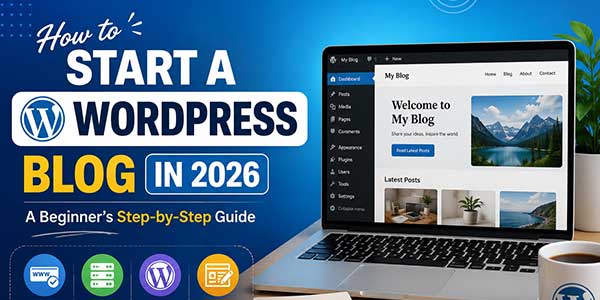
Blogging in 2026 has never been easier, yet navigating the myriad of bloggers, blog hosts, and tools to “get started” can be overwhelming before you’ve even written your first post. WordPress is still the most widely-used blogging platform by far, powering a significant percentage of web pages out there, and it’s not hard to understand why it’s received such popularity, being flexible, easy to learn when you know how, with a vast army of developers plus users. This is a step-by-step tutorial of how to start your WordPress blog, real simple and no gimmicks.
Table of Contents
Why Should One Choose WordPress Over Other Options Even In 2026?
You’ll want to know why WordPress is still the dominant blogging platform before getting started with setting it up. Unlike closed platforms like Wix or Squarespace, WordPress is open source, which means that you are NOT dependent on any one company’s platform. It’s also packed with free and premium plugins to enable you to integrate any tool you can think of, such as boosting for search engines to incorporating shopping cart capabilities. An independent blog, a specialty authority website, or a company blog is no different from any of the others when it comes to scalability once you begin.
In Step 1: The first step is to decide whether to use WordPress.com or WordPress.org
This is the first split for nov novitiates…and it mashes a lot of heads. WordPress.com offers a hosted version of WordPress, meaning that the company handles all aspects of it for you, but has limits on customization and monetization unless you upgrade to its higher-end plans. The other version of WordPress, WordPress.org, is a self-hosted, completely extensible version of WordPress software that you install in your own web hosting plan. And if you want to create your own blog with design, plugins, and monetization under your control, WordPress.org is your choice, which we strive to concentrate this guide upon.
In Step 2: In the second step, select the domain name and host that you wish to use
Your domain name is the blog’s address on the web, and so it ought to be unique, memorable, and pertinent to your niche. Avoid using symbols (like hyphens), numbers, or misspellings. But when you know this, you have to find a host to host your site, and you will be able to access your site online. IMSHost, BlueHost, SiteGround, and Hostinger are good hosts that have plans good for beginners to start their business ventures with, and most of these have the domain name free for their initial year of service.
Step 3: Install WordPress
A normal WordPress web hosting business will offer the 1-click WordPress installation tool on its control panel, so that you will never have to be tech-savvy or decipher any coding so that the web page can be up and running. After purchasing your hosting, you will log in to your hosting account, and you will search for the WordPress installation tool (these are normally displayed under “Internet site” or “Apps”) and follow the instructions to install WordPress for your domain. You’ll soon have a live WordPress site and be able to style it.
In Step 4: Select a Theme
This is where your theme will transform your blog into its desired appearance. There are tons of WordPress themes in existence, some of which are free and found in the WordPress dashboard (Appearance > Themes), and the other themes are available in the WordPress marketplace online, like ThemeForest. It’s always a good idea to use a light, mobile-ready theme that is updated often by the author or developer when you are a beginner. Here we are going to tell you. For beginners and experts, they can look for easy-to-use and lightweight solutions. Astra, GeneratePress, and Kadence are code-free options that are highly customizable and super fast.
In Step 5: Install Essential Plugins
A WordPress plugin adds features to the WordPress platform; some of the very few selected plugins are considered a must if you are just starting your new blog. A SEO plugin – e.g., Yoast Seo, Rank Math, or other equivalent tools – will assist you in optimizing your posts in the search engines, providing you with guidelines on how to make use of keywords, compose meta descriptions, and enhance readability. A security plugin like Wordfence can help to secure your site from common vulnerabilities and brute force attacks. Caching your website, with a plugin such as WP Rocket or even an all-free plugin like WP Super Cache, will improve the loading speed of your site, which can be both user experience and search engine optimization friendly. Lastly, having a backup plugin such as UpdraftPlus will mean you will never have to worry about losing any of your content in a server crash or hacking incident.
In Step 6: Let’s get our sites organized: Hamastrar Step 6.
If you’re looking to publish content on your blog, spend a couple of minutes planning out the structure of your blog. Then set up your site title and tagline in Settings > General, and then go into Settings > Permalinks and change it to the clean option “Post name” to optimize your site URL for SEO. Then, for that general business, we need some really basic pages such as an About page, a Contact page, and a Privacy Policy page – those help set us up on your reader’s trust, which is what we’re doing here, and, in some cases, are essential for ad networks and affiliate programs. Inside Posts > Categories, choose a few category names as a general overview of what types of content you will be writing about on your site, to help readers and search engines think of your site when they come upon a term.
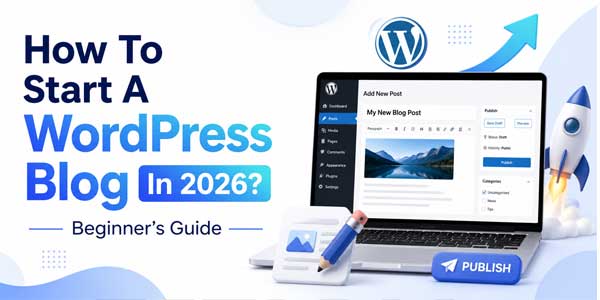
In Step 7: You’ll create and publish your first blog entry
All that remains is to concentrate on content. Pick a subject you know and if you have an interest or passion in it, and focus on it because it’s important and not so important. Remember, consistency is more important than perfection when starting, so make sure you take on a topic you know or have an interest in or a passion for. Here, you need to organize your online web post in WordPress, using clear headings, short paragraphs, and relevant pictures. Earlier than you ready to publish a post or article on the website, user must need and recommend to check the checklist of your SEO plugin to see that you’ve included your focus keyword and a brief, enticing meta description and that images are captioned appropriately with alt text. Don’t just post a few times a year, daily or weekly, if at all, is a much more powerful approach.
In Step 8: Market Your Blog and Increase Viewers.
It’s not enough to write content; it’s also all about getting the audience to refer to it. Post your content on social media websites and platforms that are relevant to your niche and industry, or perhaps participate in online communities or forums of your target audience. Establishing an email list right from the start is essential as well because it will provide you with direct access to your readers; you won’t be relying on social media algorithm convenience. Do focus on creating content over time that actually people want and need and is well researched, so people will link to you and share that content socially, as this is the most sustainable gain of all.
Some Of The Most Common Errors That Beginner Players Make
There are multiple bloggers who have installed a lot of online plugins, but they can hinder performance on their site and lead to conflicts with each other. Others skip mobile optimisation, although most readers read from mobile phones. Beginners are especially prone to spending time making design changes rather than concentrating on the quality of content, which will keep readers coming back. Last but not least, avoiding regular backups is a poor choice; you might have to waste months of work if there’s a problem with your host or plugin update.
Final Thoughts:
A WordPress blog in 2026 can be started by anyone without any technical skills; only the willingness to follow a clear process and keep consistency. You’ll have a strong base to build on with your first steps to reliable hosting, installing a clean theme, beginning with good quality content, and adding necessary plugins. Wait for some time and stick to blogging, your first few months are learning time, and you refine your approach according to the engagement of your audience, and continue to publish.
 About the Author:
Aiyla Eylül is a content writer and digital publisher who creates helpful guides on online tools, SEO, and productivity. He regularly writes about text utilities such as the TikTok story viewer, helping users make the most of free web-based tools.











Be the first to write a comment.