
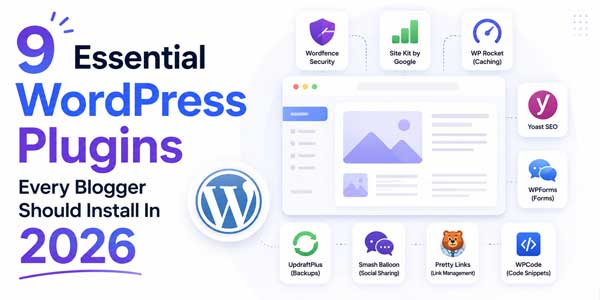
Blogging is an awesome experience, but it’s going to take the appropriate tools to take care of blogs effectively. One of the best blogging platforms, and its main asset is a treasure trove of plugins used by WordPress. For any blogger, from novice to expert, utilizing the appropriate plugins can transform the features, security, and visibility of a blog. Here are the nine must-have WordPress plugins that all bloggers must use to improve their websites.
Table of Contents
1.) Yoast SEO:
SEO plays a vital role in attracting as many organic visitors as possible to your blog; of course, there’s no need to get out of bed much for the job since Yoast SEO has got our backs. This plugin offers instant suggestions as you compose your content, ruling out your text for attractiveness, search engine optimization strategy, and suggestions for improvement. Yoast features an easily understood traffic light system, which can optimize your meta description, add focus keywords, and improve the structure of your content. The plugin also automatically creates XML sitemaps, which aid search engines in traversing your site. There is a Yoast SEO Plugin that is essential for bloggers who are hard at work on building their organic reach.
2.) Akismet Anti-Spam:
Spam can be a serious issue, and so can the comments. All of those comments can be overwhelming and literally destroy your blog’s credibility. Spam comments are automatically blocked by Akismet Anti-Spam, so they don’t pollute your site and confuse your readers and moderation process. The plugin has a very high spam-detection success rate, and it recognizes spam, whether it comes from a bot or from a spammer. Billions of spam comments have been analyzed, and with Akismet, you’ll remain one step ahead of spammy comments, have a more authentic comment section, and have a cleaner site.
3.) Wordfence Security:
Security should never be an issue to think about when dealing with blogging. Wordfence Security is an all-encompassing anti-hacker, anti-malware, and anti-brute force solution. The plugin comes with powerful capabilities to protect against malware and suspicious activity, and includes a built-in firewall to block unwanted traffic in real-time. Wordfence also notifies you of WordPress core, theme, and other plugin vulnerabilities to fix any security issues while it’s still not a problem. This is a very valuable factor which is bound to be of great advantage to any blogger who values his/her readers and the quality of his/her blog.
4.) Jetpack by WordPress.com:
The plugin Jetpack bonds together several essential features in one. It provides website protection and auto backup, performance optimization, and social sharing options. Automated backups mean that you can rest assured that your content will never be lost to Jetpack, and its downtime monitoring feature will alert you as soon as a blog is out of service. The plugin also has a content distribution aspect, which will help your posts reach further outlets on various sites.
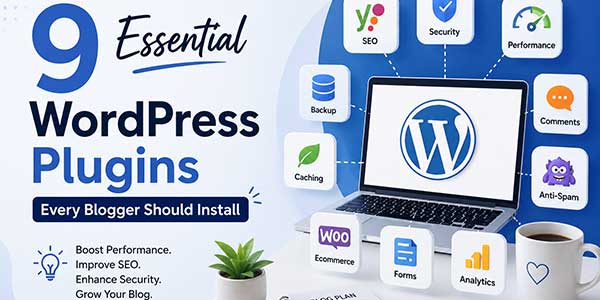
5.) WP Super Cache:
There is a speed at which a web page loads directly affects user experience and SERP. The speed of the pages loading directly affects user experience and SEO ranking. WP Super Cache caches your WordPress site as static HTML thanks to PHP scripts; this helps users access your site much more quickly since no PHP processing is being done on the fly. As easy to use as using a plugin, it can drastically slow down your blog’s server usage, while speeding up a blog’s page speed – even for non-technical bloggers. Google’s algorithm gives priority to quick websites, highlighting the benefit of using the plugin for your blog’s visibility.
6.) Elementor Page Builder:
Here, users do not need to know any kind of programming coding with Elementor Page that are Builder to create appealing for blogs layout. There is a page builder that allows you to build custom landing pages, blog headers, and post layouts without writing any code. With the Easy-to-Use Visual Editor of Elementor, it is simple to build an expert-looking page that attracts readers and makes them prefer to stay longer on your site. While the Free version provides it with plenty of features, the Pro version provides different advanced capabilities for more complicated designs.
7.) MonsterInsights:
The ability to understand your audience is key to having a successful blog. Google Analytics is easy to install with MonsterInsights, which will interface with WordPress directly to show the traffic data right in your dashboard. You can now view the analytics of the posts – such as popularity, number of hits, and from where, and the interaction with the posts, much better than logging in to Google Analytics and browsing through there. With these insights, you’ll be able to make informed decisions on the content to be created next to maximize engagement, supporting your editorial strategy with data.
8.) UpdraftPlus Backup:
WordPress auto-backup is there, but you can always have a backup plugin! Here is the Updraft Plus lets you automate your regular backups, storage, and save them to cloud-based online disk interfaces such as Google Drive, Dropbox, or Amazon S3. If anything happens (either an update fails, a website is hacked, or data has been lost), you can retrieve your blog with a few clicks from any previous backup date. A lot of bloggers have been put in situations with the loss of their data, and luckily, this plugin has saved them plenty.
9.) Rank Math SEO:
Rank Math SEO is an SEO tool designed as an advanced alternative or complement to other SEO tools, providing all the search engine optimization options in one plugin. Offers comprehensive SEO insights, integrates with keyword research tools, and utilizes AI to optimize content. Rank Math’s XML sitemap generator, schema markup integration, and rich snippet features ensure search engines comprehend your material correctly. The plugin also contains an inbuilt linking suggestion function that provides you with SEO value as well as boosts the connection of your material throughout your blog.
So, Why Do Such Plugins Matter? But Why Are These Plugins Important?
The correct plugins can turn WordPress into a robust content management system. Check out these nine plugins that address the most important points of having a successful blog: search visibility, security, performance, and user experience. Each plugin addresses a particular issue that bloggers experience, so that you can concentrate on what’s truly important: making top-quality blogs.
Keep in mind, however, that more plugins are not always better. Extra plugins require additional server resources and maintenance. Use only the plugins that you really need, and evaluate your plugin list regularly and delete those that you don’t need. Update all your plugins: Plugins that are older than the current version are vulnerable to common vulnerabilities.
Getting Started:
The first is to install the following required plugins, configure each one thoroughly, one by one. Learn to get to know the settings and features of each plugin, do not just activate them without learning about. There are many bloggers who suggest installing security and backup plugins before SEO and performance optimization plugins.
Many factors bring your blog to life and determine the success that it can achieve. These nine must-have plugins are the building blocks of a strong platform; they support growth, help protect your content, and facilitate the discovery by your audience. If you have your blog up and running, or you are just getting started, some of these plugins will be great investments that you make into your WordPress blog.
 About the Author:
Aiyla Eylül is a content writer and digital publisher who creates helpful guides on online tools, SEO, and productivity. He regularly writes about text utilities such as the Superscript Generator, helping users make the most of free web-based tools.











Be the first to write a comment.