
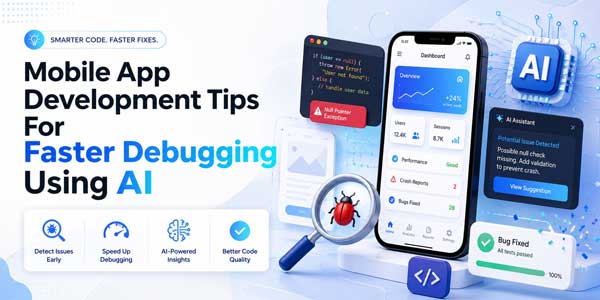
If you ask a mobile application developer how he spends his time during the week, he will most likely say that debugging takes up a lot of his time. The developer creates an application component that works well on his phone but fails right away when someone else tries to run it on another device or on a different version of the OS. Here, we can see how artificial intelligence can be useful for mobile application development.
If you’ve been putting off exploring AI for mobile app development because it sounds complicated or like another passing trend, you’re not the only one. A lot of teams feel that way at first. But once you watch it flag a crash pattern in seconds instead of an hour, the doubts tend to fade pretty quickly.
Table of Contents
Why Debugging Still Slows Teams Down?
Mobile debugging has always been a complicated process because you have to account for screen-size variations, different hardware platforms, unstable network conditions, and unexpected OS updates that can mess up your system. The problem may exist on one Android phone and never appear on the other. This variability is what makes debugging such a tedious task.
Here’s what usually slows a team down the most:
- Reproducing a bug that only happens on specific devices
- Sorting through thousands of log lines to find the one that matters
- Testing across too many OS and device combinations manually
- Losing track of which fix broke something else
This is where teams start looking outside their usual process. Some bring in external support through AI Development Services to build smarter testing pipelines rather than relying solely on manual QA. It’s not about cutting corners. It’s about giving developers back the hours they’d otherwise lose to guesswork.
How AI in Mobile App Development Actually Helps?
This, however, is not a mystical solution that generates perfect code on its own. What it does best is to recognize patterns, and that is precisely what debugging requires. It can scan hundreds of logs in seconds, classify similar crashes, and pinpoint the exact line of code causing the problem.
Think about how much time a developer usually spends just narrowing down where a bug lives. AI tools cut that search time down dramatically because they’ve already seen thousands of similar crash patterns before. You might notice your team spending less time hunting and more time actually fixing things.
A few ways this shows up in real workflows:
- Grouping of crash reports automatically so that there is no redundancy in your review process
- Predictive alerts that flag risky code changes before they ship
- Smarter test case generation based on how users actually behave in the app
- Faster root cause suggestions instead of guesswork
In many cases, teams don’t even need a huge budget to start. Even a lightweight AI-assisted debugging setup can shave hours off a sprint. And if your in-house team doesn’t have the bandwidth to build this out, it’s worth looking to hire AI Developers who already know how to wire these tools into an existing app without slowing down your release schedule.
Mobile App Debugging With AI: What Changes Day to Day:
Once this becomes part of the daily workflow, things look a bit different. Instead of a developer opening five different tools to trace a bug, one dashboard often does the heavy lifting. Crash reports get tagged automatically. Similar issues get grouped. The tool even suggests a likely fix based on patterns it’s seen in similar codebases.
That doesn’t mean human judgment goes out the window. Someone still has to review the suggestion, test it, and decide if it actually solves the problem. AI speeds up the first ninety percent of the process, the part that used to take hours. The last 10%, the part that requires a real understanding of your app’s business logic, still needs a person.
Stack Overflow’s 2025 developer survey found that 51% of professional developers now use AI tools every single day, and daily use tends to bring exactly this kind of workflow shift. You can check the full survey results here to see how adoption has grown across different roles.
AI Software Development Tools Worth Knowing About:
There’s no shortage of options out there right now, and picking the right one depends a lot on what your app actually needs. Some are built for crash analytics. Others focus on test generation or code review. A few try to do all three, with mixed results.
CMARIX has experience working with project teams that use such technology in their mobile development pipelines, and one thing always rings true across projects: the technology does not matter much when the fundamentals are in place. Having an advanced AI-based debugger in a poorly designed codebase with poor logging won’t help much.
If budget planning is part of your decision, it helps to look at Mobile App Development Cost early on, since adding AI tooling can shift both the timeline and the price depending on how deeply you integrate it.
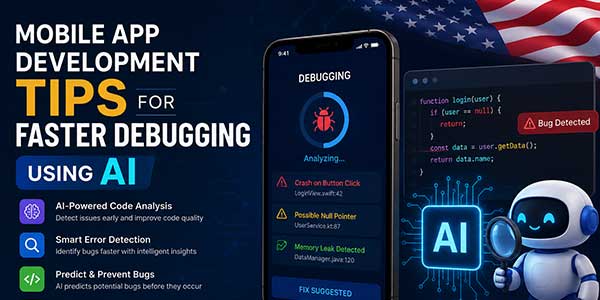
AI Developer Tools That Actually Save Time:
Here are a few categories worth exploring if you’re just getting started with this kind of debugging:
- Crash analytics platforms that cluster similar errors automatically
- Code review assistants that flag risky patterns before merge
- Log analysis tools that summarize thousands of entries into plain language.
- Test generation tools that write edge case tests you might not think of
The best way to start is with one problem area – perhaps you struggle with crash analysis, or writing tests – and implement a solution to that problem. Attempting to completely change the whole QA process at once typically fails. Small victories earn the team’s trust in the tool.
A Few Practical Tips Before You Start:
If you’re thinking about adding AI to your debugging process, keep these things in mind:
- Don’t expect AI to catch everything. It’s good at pattern matching, not judgment calls.
- Keep your logging clean. AI tools are only as good as the data they get.
- Test the AI’s suggestions before trusting them blindly, especially early on.
- Loop in your QA team early so the tool fits into their existing habits instead of fighting against them.
Sometimes the biggest win isn’t speed at all. It’s catching a bug before it ever reaches a real user, which saves you from a bad app store review down the line.
Wrapping Up:
AI for mobile app development won’t replace the developers on your team, and it’s not meant to. What it does is take the repetitive, exhausting parts of debugging off their plate so they can spend more time on the problems that actually need a human brain. Start small, pick the right tool for your specific pain point, and give your team time to trust the process. That’s usually how the best results show up, not overnight, but steadily, sprint after sprint.
 About the Author:
Albert Hilton is a Marketing Head with over 7 years of experience driving growth for startups and enterprises. He specializes in aligning marketing strategies with custom software solutions to deliver measurable business results, enhance digital presence, and support scalable success.













Be the first to write a comment.