
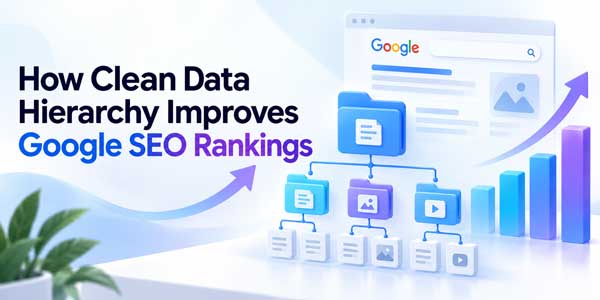
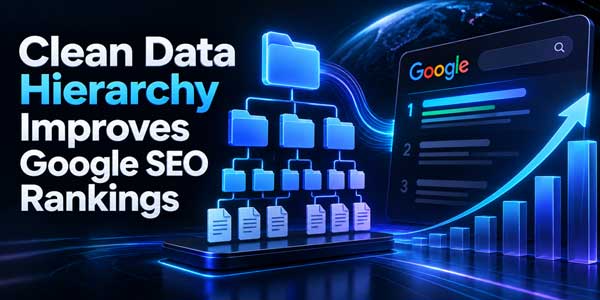
A clean data hierarchy makes a website easier for both users and search engines to understand. Instead of treating every URL, heading, category, product, article, and internal link as an isolated element, a strong hierarchy connects them into a logical information structure.
For SEO, this matters because Google has to discover pages, crawl links, interpret page topics, understand relationships between sections, identify important URLs, and decide which pages may satisfy different searches. A disorganized website can make all of those tasks harder.
However, it is important to avoid an SEO myth at the beginning: clean hierarchy is not one single Google ranking factor that gives you an automatic ranking boost. Its value comes from helping crawling, discovery, relevance, user navigation, internal authority distribution, content interpretation, and search presentation work more effectively together.
A good hierarchy may include your homepage, main categories, subcategories, topic hubs, individual articles or products, on-page headings, breadcrumbs, internal links, descriptive URLs, and structured data. When those layers agree with one another, the website becomes much easier to navigate and maintain.
The Core SEO Principle: A Clean Hierarchy Does Not Rank A Website By Itself. It Creates A Clear Architecture In Which Google Can Discover Important Pages, Understand Their Context, Follow Relevant Links, And See How Individual Pieces Of Content Fit Into The Larger Site.
This guide explains how site hierarchy affects SEO, which structural elements matter most, what Google actually recommends, how to organize a blog or e-commerce site, which common hierarchy mistakes hurt discoverability, and how to build a scalable architecture without overengineering your website.
Table of Contents
What Does Clean Data Hierarchy Mean In SEO?
In SEO, data hierarchy can describe the logical arrangement of information throughout a website. It is closely related to information architecture, content architecture, site structure, semantic organization, and internal linking.
A simple hierarchy might look like this:
- Homepage
- SEO
- Technical SEO
- On-Page SEO
- Link Building
- WordPress
- WordPress Security
- WordPress Performance
- WordPress Plugins
- SEO
This architecture tells a human visitor that WordPress Security is a subtopic of WordPress, while Technical SEO belongs inside the broader SEO area.
Internal links, breadcrumbs, URLs, navigation, headings, and taxonomy can reinforce those relationships.
Why Site Hierarchy Matters To Google Search
Google discovers a large portion of web content through links. Its crawler follows links from previously discovered pages and uses those connections to find additional URLs.
Google also explicitly recommends organizing websites logically because this can help users and search engines understand how pages relate to the rest of the site.
A strong hierarchy can support several SEO processes:
- Discovery: Important pages are easier for crawlers to find.
- Crawling: Crawlable links create reliable paths between URLs.
- Context: Categories, breadcrumbs, anchor text, and related pages help communicate topical relationships.
- Internal Authority: Internal links can direct more attention toward important pages.
- Navigation: Users can move logically between broad and specific topics.
- Search Appearance: Titles, breadcrumbs, and structured data can influence how pages are represented in Search.
This is why architecture problems often appear as SEO problems even though there is no single metric called a hierarchy ranking score.
Google Uses Links To Find And Understand Pages
Internal linking is one of the strongest practical components of website hierarchy.
Google states that it uses links both to find new pages and as a signal when determining page relevance. It also recommends making every page you care about reachable through at least one link from another page on your site.
This has several implications.
Avoid Orphan Pages
An orphan page has no meaningful internal links pointing to it.
The page may still be discovered through:
- An XML sitemap.
- An external backlink.
- A previously crawled URL.
But if the page is important, it should normally exist inside your site’s navigational or contextual hierarchy rather than relying entirely on a sitemap.
For example, an article titled How To Secure WordPress From Malware could be linked from:
- A WordPress Security category.
- A broader WordPress guide.
- Related malware-removal articles.
- A security checklist.
Those relationships help both visitors and Google understand where the article belongs.
Internal Anchor Text Strengthens Hierarchical Context
The text used inside internal links is not just a navigation label. Google recommends making anchor text concise, descriptive, and relevant to the page it points toward.
A weak internal link might say:
Read More
A more descriptive internal link could say:
Read Our WordPress Malware Removal Guide
The second version provides greater context about the destination.
That does not mean every internal link should contain an exact-match SEO keyword. Keep anchor text natural and useful to the reader.
Use Contextual Links Between Related Pages
Category navigation alone is not enough.
When one article naturally explains a concept covered in more depth elsewhere, link to the relevant page inside the content.
For example, an article about Core Web Vitals could link contextually to pages about:
- Image optimization.
- JavaScript performance.
- CDNs.
- WordPress caching.
- Hosting performance.
This builds a topic network instead of a collection of isolated pages.
Logical Site Architecture Can Improve Crawl Efficiency
Google’s current SEO Starter Guide recommends organizing content logically and grouping topically similar pages where appropriate.
For larger websites containing thousands or millions of URLs, organization becomes especially important because different areas may change at different frequencies and contain very different types of information.
An e-commerce site might use a hierarchy such as:
- Electronics
- Laptops
- Gaming Laptops
- Business Laptops
- Ultrabooks
- Phones
- Tablets
- Laptops
This is much easier to maintain than placing every product inside one enormous flat category.
However, hierarchy should serve real users and business logic. Do not create unnecessary category layers merely because an SEO checklist says deeper hierarchy looks sophisticated.
Use A Clear Homepage-To-Detail-Page Structure
A useful general architecture often moves from broad to specific.
- Homepage: Represents the overall brand or website.
- Primary Category: Covers a major topic or product group.
- Subcategory Or Topic Hub: Narrows the subject.
- Detailed Page: Answers a specific query or represents an individual product.
For a technology publication, this could become:
Home → SEO → Technical SEO → Internal Linking Guide
For e-commerce:
Home → Electronics → Laptops → Gaming Laptops → Individual Product
The hierarchy should be intuitive enough that a first-time visitor can understand where they are and where they can go next.
Do Not Obsess Over A Magical Click Depth Number
SEO discussions often claim that every important page must be exactly two or three clicks from the homepage.
That can be a useful usability objective on many websites, but Google does not publish a universal rule saying that a page automatically loses rankings after a specific click depth.
The more useful principle is that important pages should not be buried unnecessarily.
If an important commercial page requires users and crawlers to pass through seven irrelevant archive pages before reaching it, the architecture probably needs improvement.
Use prominent internal links to make important pages easy to discover.
Headings Create A Clean On-Page Content Hierarchy
Site hierarchy organizes pages across the website. Heading hierarchy organizes information inside an individual page.
A typical article might contain:
- H1: Main topic.
- H2: Major sections.
- H3: Subsections within an H2.
- H4: More detailed subsections where genuinely necessary.
This structure improves readability because readers can quickly scan a long article and understand its major concepts.
Descriptive headings also provide useful textual context.
Heading Order Is Not A Magical Google Ranking Signal
This distinction is important.
Google’s current SEO Starter Guide explicitly says that semantic heading order is excellent for accessibility and screen readers, but from Google’s search perspective, it does not matter if headings occasionally appear out of semantic order.
Google also states that there is no magical ideal number of headings on a page.
That does not mean heading structure is useless.
A clean H1, H2, H3 structure is still excellent for:
- Readability.
- Accessibility.
- Editorial consistency.
- Content scanning.
- Clear page organization.
Use proper hierarchy because it improves the document, not because you expect an H2-to-H3 ratio to increase rankings.
Make The Main Page Title Clear And Distinctive
Google uses multiple sources when automatically generating search-result title links.
Those sources can include:
- The HTML title element.
- The main visual title.
- Heading elements such as H1.
- Open Graph titles.
- Large prominent text.
- Anchor text.
Google specifically recommends making the main page title clearly distinguishable from other page text.
This is another reason a visually confusing page with several equally prominent headings can be weaker than a page with a clear information hierarchy.
Your main heading should accurately describe the central topic and should not compete visually with unrelated promotional headings.
Breadcrumbs Communicate Position In The Site Hierarchy
Breadcrumbs are one of the clearest visual representations of hierarchy.
A breadcrumb trail might look like:
Home → SEO → Technical SEO → Site Architecture
Google describes breadcrumbs as a way of indicating a page’s position within a site hierarchy and helping users navigate upward through that hierarchy.
They are particularly useful for:
- E-commerce sites.
- Large blogs.
- Directories.
- Documentation websites.
- News publications.
- Marketplaces.
Use BreadcrumbList Structured Data
If breadcrumbs are useful for your site, you can also provide BreadcrumbList structured data.
This creates machine-readable information describing the relationship between hierarchy levels.
Your visible breadcrumb should still be useful to visitors.
Do not add structured data describing a fake hierarchy that users cannot actually navigate.
Breadcrumb Hierarchy Does Not Need To Mirror The URL Exactly
This is a useful technical distinction.
Google recommends breadcrumbs that represent a typical user path rather than mechanically copying every folder in the URL.
For example, a technical URL may contain implementation details that users do not need to understand.
Your visible breadcrumb should represent meaningful information architecture.
This reinforces a broader SEO principle: technical URL structure and conceptual content hierarchy can support each other without being identical.
Use Descriptive And Stable URLs
URLs form another layer of website organization.
Google recommends descriptive URLs that are intelligible to users.
A useful URL might look like:
example.com/seo/internal-linking-guide/
A less useful URL might look like:
example.com/p?id=847392
Both can technically be indexed, but descriptive URLs improve clarity and usability.
Do Not Overload URLs With Every Hierarchy Level
A hierarchy does not require enormous URLs.
You do not necessarily need:
example.com/blog/marketing/search/seo/technical/internal-links/complete-guide/
when a concise URL such as:
example.com/seo/internal-linking/
communicates the topic clearly.
Keep URLs understandable, stable, and manageable.
Categories And Tags Need Clear Roles
Content management systems such as WordPress make it extremely easy to create categories and tags.
That convenience can produce chaotic taxonomy.
A weak blog might contain:
- SEO.
- SEO Tips.
- SEO Guide.
- Google SEO.
- Search SEO.
- Search Optimization.
These overlapping categories may contain nearly identical groups of posts.
A cleaner taxonomy might use one primary category called SEO, with meaningful subcategories such as:
- Technical SEO.
- Content SEO.
- Local SEO.
- Link Building.
Tags should add another genuinely useful organizational dimension rather than duplicating category names.
Avoid Creating Thin Taxonomy Pages
Every automatically generated category, tag, author, date, filter, and archive URL can become another crawlable page depending on your CMS configuration.
This can create thousands of weak URLs containing nearly identical article lists.
Review whether each taxonomy page provides:
- A distinct user purpose.
- Useful navigation.
- Unique context.
- A meaningful search intent.
If a taxonomy exists only because the CMS generated it automatically, it does not automatically deserve prominent internal links or search visibility.
Topic Clusters Create Semantic Hierarchy
A topic cluster organizes related content around a broader subject.
For example, a pillar page about WordPress Security might link to supporting resources about:
- Malware prevention.
- Two-factor authentication.
- WordPress backups.
- Firewall configuration.
- File permissions.
- Malware removal.
Those supporting pages can link back to the main hub and to one another when contextually relevant.
This creates a useful semantic architecture around the topic.
Do not mechanically add fifty internal links to every article. Build relationships where they genuinely help users continue learning.
Clean Hierarchy Can Reduce Keyword Cannibalization
Keyword cannibalization occurs when multiple pages unintentionally compete for highly similar search intent.
A disorganized architecture can make this worse.
Imagine a site publishing:
- Best WordPress Security Tips.
- WordPress Security Guide.
- How To Secure WordPress.
- Complete WordPress Security Tutorial.
If all four pages cover nearly identical information, Google may have difficulty determining which one represents the site’s strongest resource for the topic.
A cleaner strategy might use one comprehensive WordPress Security Guide supported by narrower pages covering malware, backups, login protection, and firewalls.
The hierarchy then reflects distinct search intents rather than accidental duplication.
Use Internal Links To Establish Important Pages
Not every page on a website has equal strategic value.
Your hierarchy should reflect priorities.
Important category pages, pillar resources, products, services, and evergreen guides should normally receive meaningful internal links from relevant areas of the site.
Google’s sitelink guidance specifically recommends:
- Logical site structure.
- Relevant and informative page titles.
- Relevant headings.
- Internal links to important pages.
- Concise, meaningful internal anchor text.
Google’s systems analyze site link structure when determining useful sitelinks for branded search results.
This is a practical example of how clean architecture can influence search presentation without hierarchy itself being a standalone ranking factor.
Use Structured Data As A Machine-Readable Hierarchy Layer
Structured data helps search engines understand specific information and content types on a page.
Depending on your website, useful structured data may include:
- BreadcrumbList.
- Article.
- BlogPosting.
- Organization.
- Product.
- LocalBusiness.
- ProfilePage.
- Event.
- Recipe.
For example, a blog article can identify its:
- Headline.
- Author.
- Publication date.
- Images.
- Publisher.
Breadcrumb markup can separately describe its location inside the website hierarchy.
Structured Data Does Not Replace Visible Structure
Do not use schema markup as a substitute for an understandable website.
Your navigation, content, headings, and internal links should already make sense to humans.
Structured data adds machine-readable context on top of a strong visible information architecture.
Google also does not guarantee that adding structured data will produce a rich result.
XML Sitemaps Support Discovery But Do Not Replace Internal Linking
An XML sitemap lists URLs you want search engines to know about.
This can be especially useful for:
- Large websites.
- New websites.
- Sites with limited external links.
- News websites.
- Media-heavy sites.
However, a sitemap should not become a substitute for a logical internal hierarchy.
Google says that when a site’s pages are comprehensively linked, its crawlers can generally discover important content by following those links.
A healthy architecture therefore uses both:
- Internal links for navigational relationships.
- Sitemaps for discovery support.
Navigation Should Reflect User Intent
Navigation exists for users first.
Your main menu should highlight the major areas visitors actually need.
Do not turn the header into an SEO keyword cloud containing every page on the website.
A technology publication might use:
- AI.
- SEO.
- WordPress.
- Development.
- Security.
Each section can then offer more specific sub-navigation.
A SaaS product might instead prioritize:
- Product.
- Solutions.
- Pricing.
- Resources.
- Customers.
The correct architecture depends on the actual information needs of your audience.
Do Not Create A Flat Site Just For SEO
Some SEO advice recommends placing every page directly one level below the homepage.
This may work for very small sites, but it becomes difficult to manage at scale.
Imagine a store with 100,000 products and no meaningful categories.
A completely flat architecture would create:
- Overloaded navigation.
- Poor product discovery.
- Weak topical grouping.
- Harder maintenance.
Hierarchy exists because information naturally has relationships.
The objective is not maximum flatness. The objective is minimum unnecessary complexity.
JavaScript Navigation Must Still Produce Crawlable Links
Modern websites often create navigation through React, Vue, Next.js, or other JavaScript frameworks.
The visual experience may look perfect while the underlying links are difficult for crawlers to extract.
Google recommends normal anchor elements with valid href attributes for crawlable links.
Important navigation should not depend solely on click handlers attached to non-link elements.
For example, avoid building critical navigation entirely from:
<span onclick="openPage()">Technical SEO</span>
when a normal crawlable anchor would work.
Use URL Inspection to confirm that Google can see important dynamically generated navigation.
Mobile And Desktop Hierarchy Should Remain Consistent
A common design mistake is creating rich desktop navigation while hiding important navigation entirely on mobile.
Google primarily uses mobile crawling for websites.
Responsive interfaces can collapse navigation into menus, accordions, or drawers, but important content and links should remain accessible.
Do not remove entire sections of useful navigation simply because the screen is smaller.
Instead, redesign how the hierarchy is presented.
Clean Hierarchy Helps Users Discover More Content
SEO architecture is also user-experience architecture.
If a visitor lands on an article about technical SEO audits, related navigation can naturally guide them toward:
- Crawlability.
- Indexing.
- Canonicalization.
- Structured data.
- Internal linking.
This can increase content discovery and reduce the need for users to return to Google for every related question.
A strong hierarchy therefore improves the value of the site even before considering search engines.
How Clean Hierarchy Helps Google Understand Context
Consider a product called Velocity Pro.
Without context, that name could refer to:
- Software.
- A bicycle.
- A sports product.
- A hosting plan.
If the page sits within:
Hosting → VPS Hosting → Managed VPS → Velocity Pro
and is linked using contextually relevant anchors, surrounded by hosting content, and marked up accurately as a product, the semantic context is far clearer.
No single element determines meaning. The hierarchy creates a consistent set of signals.
Clean Hierarchy Is Especially Important For Large Websites
Small websites with fifty pages can often survive imperfect architecture because almost everything can be directly linked.
The stakes change when a website contains:
- 100,000 products.
- 50,000 articles.
- Multiple languages.
- Thousands of filters.
- Many geographic landing pages.
- Dynamic search pages.
Large websites need clear rules for:
- Categories.
- Facets.
- Canonical URLs.
- Pagination.
- Indexable filters.
- Breadcrumbs.
- Internal linking.
- Sitemaps.
Otherwise, crawlers can spend significant resources on duplicate or low-value URL combinations while commercially important pages remain poorly connected.
A Clean Blog Hierarchy Example
A technology blog could use the following architecture:
- SEO
- Technical SEO
- On-Page SEO
- Local SEO
- Link Building
- WordPress
- Security
- Performance
- Plugins
- Development
- Artificial Intelligence
- AI Development
- Generative AI
- AI Search
An article about Open Graph tags could belong under SEO → Technical SEO and link naturally to articles about metadata, structured data, social sharing, and title optimization.
This produces a coherent content library rather than a chronological pile of unrelated posts.
A Clean E-Commerce Hierarchy Example
An online electronics store might use:
- Laptops
- Gaming Laptops
- Business Laptops
- 2-In-1 Laptops
- Mobile Phones
- Android Phones
- iPhones
- Accessories
- Chargers
- Cases
- Headphones
A product page can then use:
- Category navigation.
- Breadcrumbs.
- Related products.
- Compatible accessories.
- Brand pages.
These relationships help both users and search engines discover related inventory.
How To Audit Your Website Hierarchy
Start with your most important pages rather than attempting to redesign everything at once.
- Export All Indexable URLs. Use your CMS, sitemap, crawler, or analytics data.
- Group URLs By Topic. Identify natural categories and subtopics.
- Identify Orphan Pages. Find URLs without meaningful internal links.
- Review Duplicate Categories. Merge overlapping taxonomy where appropriate.
- Map Important Pages. Determine which pages deserve stronger internal visibility.
- Review Navigation. Confirm major sections are easy to reach.
- Audit Anchor Text. Replace vague internal links where better descriptions are useful.
- Check Breadcrumbs. Confirm they represent meaningful hierarchy.
- Review URLs. Simplify unnecessarily confusing patterns when doing so is worth migration risk.
- Validate Structured Data. Ensure markup matches visible content.
Do Not Redesign URLs Without A Good Reason
A cleaner-looking hierarchy does not automatically justify changing thousands of existing URLs.
URL migrations create work.
You may need:
- 301 redirects.
- Updated internal links.
- Updated canonicals.
- Updated sitemaps.
- Updated external campaigns.
- Migration monitoring.
If an existing URL is already indexed, ranking, and receiving backlinks, changing it merely because you prefer another folder structure may create unnecessary risk.
Google’s own guidance says not to drop everything and immediately reorganize an existing website solely because logical structure is useful.
Improve architecture strategically rather than cosmetically.
Common Data Hierarchy SEO Mistakes
- Orphan Pages: Important content has no internal link path.
- Too Many Overlapping Categories: Multiple taxonomies represent the same topic.
- Generic Anchor Text Everywhere: Internal links provide little destination context.
- Huge Flat Navigation: Every URL is treated as equally important.
- Excessive Hierarchy: Important pages are buried behind unnecessary levels.
- Heading Tags Used Only For Styling: Visual design replaces logical document structure.
- Breadcrumbs That Misrepresent The Site: Structured data describes relationships users cannot follow.
- Sitemap-Only Discovery: Important pages lack meaningful internal links.
- Duplicate Tag And Category Pages: Taxonomy creates redundant search destinations.
- JavaScript-Only Navigation: Critical links are difficult for crawlers to parse.
- Changing URLs For Cosmetic Reasons: Migration risk outweighs structural improvement.
A Practical SEO Hierarchy Checklist
- Define Your Main Website Topics.
- Create Clear Primary Categories.
- Add Subcategories Only When They Serve A Real Purpose.
- Ensure Important Pages Have Internal Links.
- Use Descriptive Internal Anchor Text.
- Create Useful Breadcrumb Navigation.
- Use Concise Descriptive URLs.
- Give Each Page A Clear Main Title.
- Use Descriptive Sections And Subheadings.
- Remove Or Merge Redundant Taxonomy.
- Use Appropriate Structured Data.
- Maintain XML Sitemaps.
- Make JavaScript Navigation Crawlable.
- Keep Mobile Navigation Accessible.
- Audit Orphan And Deeply Buried Pages Regularly.
How Clean Hierarchy Can Influence Search Performance
A clean hierarchy can improve organic performance through several indirect mechanisms.
It can help Google find important pages earlier, understand how pages relate to one another, interpret internal link context, and analyze the overall link structure of the website.
It can also improve the user experience by helping people reach relevant information faster.
Google explicitly says that logical structure and useful internal links can help its systems generate better sitelinks, while breadcrumb markup can communicate a page’s position inside the site.
These effects contribute to search visibility even though Google does not publish a standalone clean hierarchy ranking factor.
Final Verdict On Clean Data Hierarchy And Google SEO
A clean data hierarchy is important for Google SEO because it creates understandable relationships between your website’s pages and the information inside them.
The strongest hierarchy begins with sensible information architecture: broad topics lead to narrower subjects, and narrower subjects lead to detailed pages that satisfy specific user needs.
Internal links then connect those pages using useful context. Google explicitly recommends crawlable links and states that every important page should receive a link from at least one other page on your site.
Breadcrumbs can communicate a page’s position inside the larger structure. Structured data can provide machine-readable details about that hierarchy and about the entities on individual pages.
Headings create another useful level of organization inside content. However, do not turn heading hierarchy into SEO superstition. Google says heading order is not a ranking requirement and there is no magical number of headings.
Similarly, there is no universal rule saying every page must be exactly three clicks from the homepage. The real objective is to prevent important content from becoming unnecessarily buried or orphaned.
XML sitemaps should support the architecture, not compensate for the absence of internal navigation.
Categories and tags should have distinct purposes. URLs should be understandable. JavaScript navigation should generate crawlable links. Mobile users should receive access to the same important website areas.
For large sites, these principles become even more important because poor taxonomy and uncontrolled URL generation can create enormous crawling and indexing inefficiencies.
Most importantly, do not restructure a successful existing website simply to make its folder tree look prettier. Google explicitly notes that search engines can often understand existing websites even when the architecture is imperfect.
Improve hierarchy when it creates genuine improvements in discovery, navigation, content relationships, crawling, search intent targeting, and long-term maintainability.
A Clean Data Hierarchy Does Not Replace Great Content Or Authority. It Creates The Structural Environment In Which Great Content Can Be Found, Understood, Connected, And Presented More Effectively.
Everyday Reader Frequently Asked Questions
Does Website Structure Affect Google SEO Rankings?
Website structure can affect SEO indirectly by influencing crawling, internal linking, page discovery, topical relationships, navigation, and search presentation. Google recommends logical site organization and internal links to important pages, but there is no single site-structure ranking score that automatically determines rankings.
Does H1 H2 H3 Heading Order Affect Google Rankings?
Google currently says semantic heading order is useful for accessibility but is not a strict Google Search ranking requirement. There is also no ideal number of headings. Use a clear H1, H2, H3 hierarchy because it improves readability, accessibility, and content organization rather than because of a supposed heading-order ranking bonus.
Are Breadcrumbs Important For SEO?
Breadcrumbs can help users understand where a page sits within a site hierarchy and navigate to broader sections. Google also supports BreadcrumbList structured data, which can provide additional machine-readable context about page hierarchy and may influence breadcrumb presentation in eligible search results.
How Should I Structure Internal Links For SEO?
Every important page should normally receive at least one crawlable internal link from another relevant page. Use descriptive anchor text and connect pages contextually based on real topic relationships rather than creating large blocks of repetitive keyword links.
Does Structured Data Improve Google Rankings?
Structured data helps Google understand specific information and can make content eligible for supported search features, but adding schema markup does not guarantee higher rankings or rich results. Structured data should accurately represent information that users can actually see on the page.












Be the first to write a comment.