

I’ve been running e-commerce stores for years now, and I’ve seen the same problem happen over and over. A customer wants to buy something expensive. They love your product. But they don’t have the full amount right now. So they leave without buying. You lose the sale.
It’s frustrating because they want what you’re selling. You want to sell it to them. But the payment timing doesn’t work. What if there was a way to bridge that gap? A way to let customers buy now and pay later? A way to capture sales that would otherwise disappear?
That’s exactly what a deposit WooCommerce plugin does. I’ve watched it transform how stores handle high-ticket items. Instead of losing sales to payment barriers, stores capture them. Customers get what they want. Store owners get paid. Everyone wins.
Let me walk you through what a deposit WooCommerce plugin actually does and how it changes your business.
Table of Contents
The Problem Most Stores Face:
Before I explain the solution, let me be honest about the problem. I see it constantly.
A customer lands on your store. They find something they really want. It’s a high-ticket item. Maybe $500. Maybe $2,000. Maybe more. They want it badly. But they don’t have the full amount available right now.
In a traditional setup, they have two choices. Pay full price now, or don’t buy. Most choose not to buy. You lose the sale. They walk away frustrated. Maybe they never come back.
This happens more than you’d think. Especially for expensive products. Furniture. Equipment. Artwork. Custom items. Anything with significant price tags suffers from this.
The stores that figured this out? They changed their game completely. They started letting customers pay deposits. Pay part now, pay the rest later. Suddenly, those lost sales became actual sales.
I’ve seen stores increase revenue 30-40% just by implementing this strategy. It sounds dramatic, but it’s real.
What is the Deposit WooCommerce Plugin?
Let me explain what this does in practical terms.
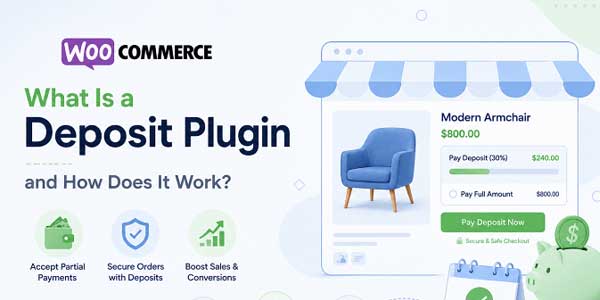
A deposit WooCommerce plugin lets customers split payments over time. Instead of paying full price upfront, they can pay a deposit now and pay the rest later.
The beauty is that you control everything. You decide which products allow deposits. You decide the deposit percentage. You decide when the final payment is due. Everything is configurable.
Here’s how it works from a customer perspective. They find your expensive product. They see a deposit option. Instead of $2,000 upfront, they can pay $200 now and $1,800 later. Suddenly the purchase becomes feasible. They buy.
From your perspective, you’ve converted a lost sale into a revenue opportunity. You get paid in installments instead of waiting for full payment. Your cash flow improves. Your customer gets the product they wanted.
This is why more sophisticated stores are implementing deposit functionality. It’s a conversion multiplier.
How a WooCommerce Payment Plan Works?
Let me break down the mechanics because understanding how this functions is important.
When you set up a deposit WooCommerce plugin, you’re essentially configuring payment options for your products. For each product, you can decide:
Does this product allow deposits? Yes or no.
If yes, how much deposit is required? A fixed percentage? A fixed amount? A customer choice?
When is the final payment due? Days from now? Weeks? Specific date?
Once configured, customers see these options when ordering. They can choose to pay the full amount immediately. Or they can choose the deposit option. They pay the deposit. Their order is placed. They receive payment reminders when the final payment is due.
A WooCommerce payment plan operates similarly but with multiple payments over time. Not just one deposit and one final payment. But multiple installments.
The automation is key. You don’t manually track who owes what. You don’t send manual payment reminders. The system handles this automatically. Customers receive notifications. Payment process on schedule. Everything stays organized.
From a technical perspective, the deposit WooCommerce plugin integrates with your payment processor. Payment is processed immediately. Subsequent payments are processed on schedule. Your WooCommerce integration ensures everything stays synced.
Key Features That Matter:
I’ve worked with several deposit WooCommerce plugin solutions, and these features consistently make the difference.
Flexible Deposit Options
You can set deposits as a percentage of the product price. Or a fixed dollar amount. Or let customers choose how much to pay upfront. This flexibility means you can handle different scenarios.
Payment Schedule Control
Set exactly when final payments are due. Five days after the order? Ten days? Thirty days? A specific date? You control the timeline.
Automatic Payment Processing
Here’s what I love about modern deposit plugins. The payment processing is automatic. You don’t manually follow up. The system sends reminders. It processes payments. It handles everything.
Customizable Messaging
Tell customers exactly what’s happening. Why are they paying a deposit? When the final payment is due. Clear communication reduces confusion and support tickets.
Multiple Payment Methods
Customers can pay deposits and final payments using whatever payment method your store supports. Credit card. PayPal. Bank transfer. They pay however they prefer.
Deposit Tracking
Your admin dashboard shows you everything. Which customers have paid deposits? Who still owes final payments? Who’s paid in full? You see the complete picture.
Order Status Management
Products with deposits behave differently in your order system. The system knows a deposit order isn’t complete. Knows it’s waiting for final payment. Manages status appropriately.
Installment Plans
Beyond just deposit and final payment, some deposit WooCommerce plugin solutions support true WooCommerce payment plan functionality. Multiple payments over time. Complete installation systems.
Scenarios Where This Changes Everything:
Let me share some actual situations where a WooCommerce plugin transforms business.
Scenario One: Custom Furniture Store
A customer orders a custom sofa. Price is $3,000. That’s a big purchase. With deposits, you offer to let them pay $1,000 now and $2,000 when the sofa ships three months later.
Suddenly, the purchase becomes manageable. They buy. You capture $1,000 immediately. You have cash for production. When the product ships, you collect the final payment. No waiting. No cash flow problems. The customer is happy.
Scenario Two: Photography Services
A client wants a wedding photography package for $5,000. That’s expensive. With a WooCommerce payment plan, they can pay $1,500 upfront, $1,500 four weeks before the wedding, and $2,000 after the wedding.
Suddenly, it’s affordable for them. You get staged payments matching the production schedule. Everyone wins.
Scenario Three: Course or Coaching
You’re selling an online course for $1,200. That’s not cheap. But with a deposit system, customers can pay $300 now and $300 monthly for three months.
The deposit becomes a commitment. They’re invested. They’re more likely to complete the course. You have cash flowing in. Everyone benefits.
Scenario Four: E-Commerce Store with High Ticket Items
You sell expensive equipment. Items running $2,000-$10,000. A significant portion of customers want the products but can’t pay full price upfront.
Implement a deposit WooCommerce plugin. Suddenly, those customers become buyers. Your revenue increases. Your conversion rate improves.
These scenarios show why a deposit WooCommerce plugin matters. It’s not a minor feature. It’s a revenue multiplier.
Setting Up The Plugin:
Based on what I’ve seen work well, here’s how implementation typically goes.
First, you download and activate your deposit WooCommerce plugin. Navigate to your WooCommerce settings. You’ll see a Deposits or Payment Plans section.
Create rules for which products allow deposits. Maybe all products. Maybe just high-ticket items. Maybe specific categories. You control the scope.
For each product or category, configure the deposit percentage or amount. Decide the payment due date. Set the messaging that customers see.
Configure your payment processor integration. Make sure your payment gateway handles multiple transactions. Most modern gateways do, but verification is important.
Set up email notifications. Customers need to know payment is due. Clear communication is essential. Most plugins let you customize these emails.
Test the entire flow. Order a product with a deposit payment. Verify the deposit payment processes. Verify the final payment reminder emails. Verify that the final payment processes correctly.
Once tested, go live. Customers immediately see the deposit option. Sales increase.
The Financial Impact:
Here’s what I’ve actually seen happen when stores implement deposit functionality.
Higher conversion rates. Expensive products that had zero conversions suddenly generate sales. Customers who couldn’t afford full payment now can. Conversion rates jump.
Improved cash flow. You’re not waiting for full payment. You’re getting deposits immediately. Your cash flow improves even though you’re not getting everything at once.
Higher average order values. Offering a payment option doesn’t reduce order value. Customers still order the same high-ticket items. They just pay in installments.
Increased customer satisfaction. Customers appreciate flexibility. They get what they want without financial strain. They’re happier. Return rates often decrease.
Reduced cart abandonment. A customer about to abandon because the price is too high sees a deposit option. Suddenly, the purchase becomes feasible. They complete the order.
The math is compelling. A deposit WooCommerce plugin doesn’t cost much. But the revenue impact can be significant.
Major Concerns:
I want to be balanced here. A deposit system does create some complexity.
Tracking is important. You need to know who’s paid deposits and who owes final payments. A good deposit WooCommerce plugin handles this automatically, but you need to verify it’s working.
Payment failures happen. Sometimes final payments fail to process. You need a system for handling this. Reminders. Retry logic. Clear communication.
Customer support increases slightly. Customers sometimes have questions about their payment schedule. Clear communication up front helps, but expect some support requests.
Tax and accounting complexity. Deposits affect your accounting. You’re recognizing revenue in multiple periods. Your accountant needs to understand how you’re handling this.
None of these is a deal-breaker. They’re just realities of offering deposit functionality. But you should know going in.
Why is this Strategy Recommended?
After working with e-commerce stores for years, I genuinely believe deposit functionality is essential for certain business models.
If you’re selling high-ticket items, deposits are a must. Your conversion rates will improve measurably.
If you’re selling products with long production timelines, deposits make sense. You get paid gradually, matching your production schedule.
If your customer base includes budget-conscious buyers, offering a WooCommerce payment plan makes you competitive. Customers who can’t afford full payment suddenly can afford installments.
I’ve watched stores dramatically improve their business by implementing this. It’s not hype. It’s real.
Conclusion:
A deposit WooCommerce plugin isn’t a luxury. It’s a business tool that directly impacts revenue.
When you let customers split payments, you capture sales you’d otherwise lose. You improve cash flow. You increase customer satisfaction.
The Deposit and Partial Payment Plan for WooCommerce by FmeAddons makes this incredibly simple. No coding. No complex setup. Just straightforward configuration.
If you’re selling anything remotely expensive, I’d seriously consider implementing deposit functionality. The revenue impact will surprise you.
I’ve seen it work too many times not to recommend it.
 About the Author:
I’m Jeff Harrison. I’ve spent years working with WooCommerce, testing plugins in real store environments to see how they perform beyond their feature lists. I regularly review solutions like the Deposit for WooCommerce plugin by FmeAddons, along with other extensions designed to improve store functionality and create a better shopping experience. What interests me most is how a plugin performs after it’s installed, whether its features remain useful in day-to-day store management, and if it delivers real long-term value. Rather than relying on marketing claims, I focus on practical experience to help WooCommerce store owners decide if a plugin is worth adding to their store or if it’s something they’ll stop using after the initial setup.













Be the first to write a comment.