
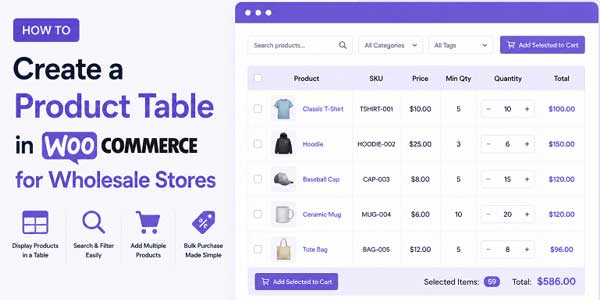
Wholesale buyers shop differently from retail customers. A retail customer browses products one by one, clicks on what interests them, and maybe adds a few things to their cart. A wholesale buyer wants to see hundreds of products at once, compare specs, quickly check pricing, and order in bulk.
The default WooCommerce grid layout doesn’t work for this. Wholesale customers get frustrated clicking through dozens of pages. They want everything visible at once. They want to filter quickly. They want to add multiple products to their cart without clicking through individual product pages.
Creating a product table layout for your wholesale store solves this problem. Instead of a grid where each product is in its own box, you show products in rows and columns. Everything is organized. Information is accessible. Bulk ordering becomes easy.
The question is how actually to build this. You have several options depending on your technical skills and needs.
Table of Contents
Why Wholesale Stores Need Product Tables?
Before getting into how to build one, understand why this matters for wholesale.
A wholesale buyer might need to order from a catalog of thousands of items. They know what they want. They just need to find it, see pricing, and add it to their cart. A grid layout with one product per card is slow for this. They’re clicking page after page, looking for specific items.
With a product table, they can:
- See twenty to fifty products on one screen
- Filter by category, price, attributes, or search term
- Quickly scan product details without opening pages
- Add multiple items at once without individual clicks
- Compare products side by side
- Understand pricing tiers immediately
This speeds up their shopping and increases their order size. That’s the actual business benefit.
Method 1: Building a Table With Code
If you have development resources, you can build a custom product table using code. You’d write PHP and JavaScript to query WooCommerce products and display them in a table format.
This approach gives you complete control. You can build exactly what you want. You can add custom columns. You can implement custom filtering logic. You can integrate it with your wholesale pricing system.
The tradeoff is complexity. You need a developer who understands WooCommerce’s database structure and APIs. You need to test thoroughly. If something breaks with a WooCommerce update, you need technical resources to fix it. You’re also building something that needs ongoing maintenance.
This makes sense for large enterprises with dedicated development teams. For most wholesale stores, it’s overkill.
Method 2: Using WordPress Table Plugins
There are general WordPress table plugins that let you create tables from various data sources, including WooCommerce products.
Plugins like TablePress or similar tools let you build tables manually or import product data. You define columns, add products, and style the table. It works, but it’s manual. Adding new products means updating your table manually. Updating pricing means manual updates. It’s not dynamic.
These work for small product catalogs where you don’t update frequently. For a wholesale store with hundreds of products that change regularly, this becomes a maintenance nightmare.
Method 3: Using a WooCommerce Product Table Plugin
This is where purpose-built solutions come in. Plugins specifically designed for WooCommerce product tables handle the complexity for you.
A plugin like the EXT Product Tables and List View for WooCommerce is built specifically to solve this problem. Instead of coding or manual table building, you use a plugin that understands WooCommerce natively.
What makes a WooCommerce product table plugin different?
It integrates with WooCommerce’s product system directly. When you add a new product to WooCommerce, it automatically appears in your table. When you update pricing, the table updates. When you change the stock status, the table reflects it. Everything is dynamic and synchronized.
You don’t write code. You don’t manually manage products. You configure the table once, and it stays current as your catalog changes.
How does it work?
You install the plugin. You create a table by selecting which products to include and which information to display. You configure filtering options, search functionality, and bulk ordering. You style it to match your brand. You place it on a page or override your shop page with it.
That’s it. Your wholesale customers can now use a proper product table.
Creating a WooCommerce Product Table for Your Store:
Let me walk through how this actually works with a purpose-built solution.
Step 1: Define your needs
First, figure out what your wholesale customers actually need. What columns matter? Do they need to see SKUs? Do they compare prices? Do they need stock status? Do they need to request quotes instead of buying immediately?
For example, a wholesale fabric store might show: Product Name, SKU, Color, Size, Price Per Unit, Bulk Pricing, Stock Status, and Quantity selector.
A wholesale equipment supplier might show: Product Name, Category, Price, Availability, Specifications, and Add to Cart.
Think about your actual customers and what they actually need to see.
Step 2: Decide on filtering and search
Wholesale buyers with large catalogs need to find things fast. Plan your filtering. Do they filter by category? By price range? By brand? By attributes like color or size?
Plan your search functionality. AJAX-powered search that filters as customers type is standard. This saves customers time.
Step 3: Configure columns and display
Once you know what information matters, configure which columns show in your table. Most WooCommerce product table solutions let you drag and drop columns to reorder them. You pick what appears.
Standard columns include product image, name, SKU, price, stock status, and quantity selector. You can add custom columns depending on your needs.
Step 4: Set up bulk ordering
Wholesale customers need to select multiple products and add them all at once. Configure bulk selection. Usually, this means adding checkboxes next to each product. Customers check the items they want, set quantities, and click one button to add everything to their cart.
Step 5: Style to match your brand
The table should feel like part of your store. Configure colors, fonts, borders, and padding. Make it look professional. Make it match your brand identity.
Step 6: Test with real users
Before launching, have actual wholesale customers test it. Have them try to find products. Have them place an order. Watch where they get confused. Fix issues before going live.
Using a WooCommerce Product Table Plugin Makes This Easier:
Doing all this with code takes weeks. Building and maintaining it yourself is complex. That’s why a WooCommerce product table plugin like EXT Product Tables and List View exists.
This plugin handles the technical complexity. You don’t code. You don’t maintain database queries. You use a visual builder to configure your table.
Key features that save time:
The plugin includes drag-and-drop configuration. Select which products to show, drag columns to reorder them, and toggle visibility on or off. No coding needed. You literally drag things around, and it works.
The plugin handles AJAX search automatically. Customers type in the search box, and products filter in real-time. This is complex to build from scratch. The plugin does it out of the box.
Bulk ordering is built in. You enable it in settings. Customers see checkboxes, select multiple products, set quantities, and add everything at once. Complex functionality made simple.
The WooCommerce product table plugin also includes quote request functionality. Customers can request quotes for single products or bulk selections. You get email notifications. Everything’s handled.
User role-based visibility is built in. Wholesale-only tables that only wholesale customers see. Different tables for different customer types. The plugin handles this natively.
Getting a product table set up is fast:
With a WooCommerce product table plugin, setup takes hours, not weeks. You configure your table, test it, and deploy it. You have a working wholesale-friendly product table in your store without extensive development.
That speed matters. You’re not waiting weeks to improve your wholesale experience. You’re improving it today.
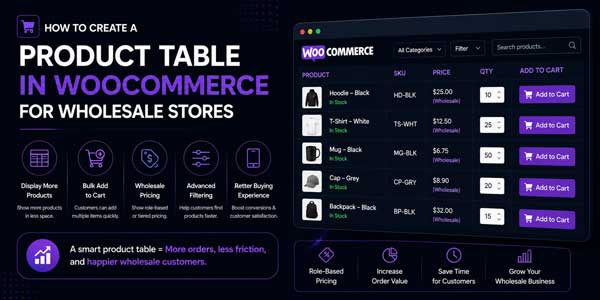
Real Wholesale Scenarios:
Let me show you how this actually works.
Wholesale Clothing Distributor:
They sell to boutiques. Their catalog has hundreds of styles with multiple sizes and colors. They create a product table showing image, product name, style code, color options, size, wholesale price, and quantity selector.
They enable filtering by color and price range. They enable bulk ordering so boutiques can select multiple items and order them all at once. They make the wholesale experience smooth.
Industrial Parts Supplier:
They sell to contractors. Their products have technical specifications. They create a table showing product name, part number, specifications, availability, price, and quantity. They enable filtering by product type and price. They use bulk ordering so contractors can build orders quickly.
Food Wholesale Company:
They sell in bulk. Their table shows product name, unit size, price per unit, bulk pricing, and minimum order quantity. They enable search and filtering by category. Buyers search for what they need, see pricing, and order in bulk.
In each case, a product table makes wholesale shopping faster and easier.
Things to Consider:
Mobile experience:
Wholesale buyers shop on phones and tablets. Your product table needs to work on mobile. Some plugins use a responsive design that adapts to smaller screens. Others let you choose how the table displays on mobile. Make sure it’s actually usable on phones.
Performance:
A table showing hundreds of products needs to load fast. If your table takes ten seconds to load, customers will leave. Make sure your plugin handles performance well. Look for features like pagination or lazy loading that keep things fast.
Integration with your wholesale pricing:
Many wholesale stores have tiered pricing. Customers in different groups pay different prices. Make sure your product table solution integrates with your wholesale pricing system. If it doesn’t, you have a problem.
Quote management:
If your wholesale customers request quotes instead of buying immediately, make sure your solution includes quote management. You need to track quotes, send confirmations, and manage the sales process. Some plugins include this. Some don’t.
Customization flexibility:
Every wholesale business is different. Some need highly customized tables. Some are fine with standard configurations. If you need custom functionality, make sure the plugin you choose is flexible enough.
Making Your Decision:
If you have a development team and want complete control, custom code works. But most wholesale stores don’t have that luxury.
A WooCommerce product table plugin is usually the right choice. It solves the problem. It’s maintained by the plugin developers. It updates with WooCommerce. You don’t have technical debt.
The EXT Product Tables and List View for WooCommerce is one strong option. It has the features wholesale stores actually need. It’s actively maintained. It integrates seamlessly with WooCommerce.
But there are other plugins too. Evaluate your needs. Look at what’s available. Pick something that fits your wholesale operation.
The important thing is that you implement something. Your wholesale customers are waiting. They want a proper shopping experience. A product table gives them that.
Don’t let your wholesale customers struggle with a retail-focused grid layout. Build them a table. Make their shopping faster. Make your business better.
 About the Author:
I’m Jeff Harrison. I’ve spent years working with WooCommerce, testing plugins, and evaluating how they perform in real online stores. A big part of my work involves reviewing plugins such as WooCommerce product table by Extendons and other extensions that help merchants improve store navigation, product presentation, and the overall shopping experience. My focus is on practical results rather than promotional claims. I look at how a plugin functions after installation, whether its features provide real value, and how well it fits into everyday store operations. By sharing hands-on insights and honest observations, I aim to help store owners make informed decisions about which WooCommerce plugins are worth adding to their stores.













Be the first to write a comment.