






Maestro cards are no longer accepted at UK online casinos, but learn the real reasons, discover the best alternative payment methods, and see top-rated casinos for debit cards in 2026. see the full list of UK casinos that accept debit cards in 2026
You Are Viewing Posts Under Category: Website Tips

Top 10 Tips For Using Grids For Good Web Design
| August 30th, 2014 | 2 Comments | Guest Post / Website / Website TipsWhether you’re using a prebuilt, responsive, grid system based on CSS or simply designing around Photoshop guides, grids provide structure and clarity for your website design. When you use a grid framework, the design process is easier and the resulting websites cleaner. Grids are absolutely cruci...
Options To Acquire Unused IPv4 Addresses
| August 9th, 2014 | 0 Comments | Website / Website TipsIPv4 refers to the Internet Protocol version 4, the technology that makes it possible for everyone to connect their devices to the internet. Whenever a smartphone, PC, laptop, Mac or any other device connects to the web, it is assigned a unique IP address such as 22.38.448.448. To transfer the data ...
How Bad Photoshop Is In The World Of Web Design?
| August 8th, 2014 | 0 Comments | Website / Website TipsYou must have heard about Adobe reader; the most infamous platform through which you can read pdf documents. Am I right? The question is do you know what Adobe Photoshop is? Many of you reading this might not have even heard about it before now, so if you haven’t this is the perfect time to [&hell...
For Newbies: How To Add .html In WordPress Posts Permalink?
| July 19th, 2014 | 4 Comments | Website Tips / WordPressIf you migrated from Blogger To WordPress then this one is very important to keep your migrated blog healthy as it was on Blogger. WordPress default posts permalinks are www.exeideas.com/?p=5696. Now first of all, you have to make it like preety permalink that we explained in our previous article....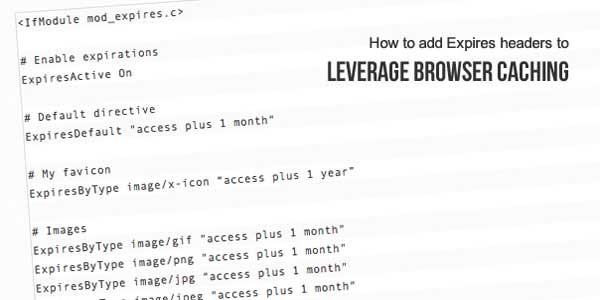
How To Remove “Leverage Browser Caching” In Your Website?
| July 14th, 2014 | 10 Comments | Website / Website TipsLeverage Browser caching is an important parameter to speed up your site/blog and that google and y-slow used to analyze the performance of your site/blog. If you will check your site/blog on Google PageSpeed, you will find out that recommended that you have to leverage browser caching to make your ...
How To Make CSS Sprites Images And Use Them To Speed Up Your Site?
| July 9th, 2014 | 2 Comments | Blogspot / Blogspot Tips / Website / Website Tips / WordPress / WordPress TipsAccording to w3schools, An image sprite is a collection of images put into a single image. A web page with many images can take a long time to load and generate multiple server requests. Using image sprites will reduce the number of server requests and save bandwidth… What Are CSS Sprites? As ...