







Maestro cards are no longer accepted at UK online casinos, but learn the real reasons, discover the best alternative payment methods, and see top-rated casinos for debit cards in 2026. see the full list of UK casinos that accept debit cards in 2026
You Are Viewing Posts Under Category: Blogspot Tricks
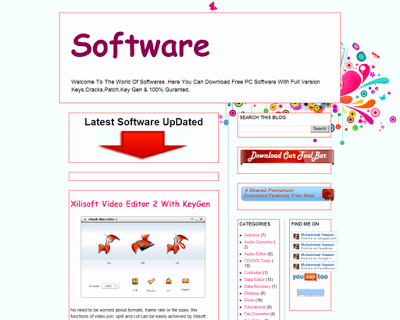
How To Add Stylish Border Around Selected Widget Of Blogger?
| June 25th, 2012 | 28 Comments | Blogspot / Blogspot TricksIt’s a dream of every blogger that his blog should blink in the eyes of his readers, attractively. If content is the king, then Design is the palace and the royal palace must be decorated and varnished well . You can call a talented designer to design your castle, so as your blog. But in [&hel...
Awesome And Stylish Custom 404 Page With List Of All Posts
| June 4th, 2012 | 4 Comments | Blogspot / Blogspot TricksWhenever a web server is unable to locate a requested page, it returns a 404 error. These errors are often caused by users who input wrong addresses, but a site redesign can also result in a lot of incoming links that point to nonexistent pages or deleted. A visitor who arrives at a 404 page [&helli...
How To Create An HTML Working Contact Form For Your Blog & Website
| April 3rd, 2012 | 12 Comments | Blogspot / Blogspot Tricks / HTML Codes / HTML-CSS-PHP-JavaScript / PHP Codes / Website / Website TipsYou Don’t Have Need To Any Contact Form Builder Or Provider. Here Are The Simple & Easy Step To Do. CLICK HERE TO SEE DEMO This Tutorial Will Teach You How To Create A Very Simple Contact Form For HTML Based Website & Blog.First Of All Create 2 Files: contactform.html and contact.php. ...
How To How To Add A Cool Clickable Image Divider Between Your Blog Posts In Blogger
| November 6th, 2011 | 0 Comments | Blogspot / Blogspot TricksThere are a number of reasons why you may want to place a divider between your blog posts.From the tidy professional look it adds to having a handy clickable image link as your divider or maby your blog looks very cramped or overlapping and you want to space it out a bit. If you don’t [&hellip...
How to Change Home, Newer Post and Older Post Link Into Button In Blogger
| October 18th, 2011 | 0 Comments | Blogspot / Blogspot TricksDefault page navigation links in blogger blogs are simply not appealing. At the bottom are of your blog it shows two links such as “Older Posts” and “Newer Posts“. Few times readers get confused with these links. So, it’s better to change these page navigation links with some cool ...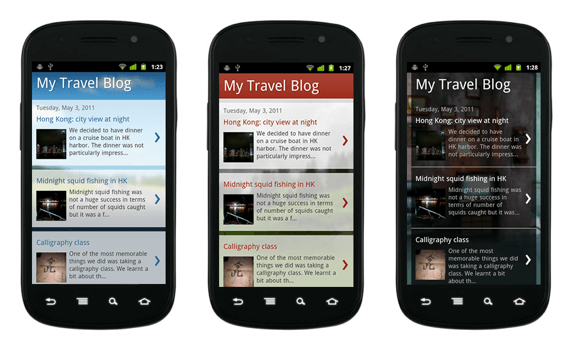
How To Open Blog Mobile Template For Blogspot/Blogger?
| April 13th, 2011 | 2 Comments | Blogspot / Blogspot TricksBlogger has launched a new feature for blogger blogs with which you can give a different view of your blog to the mobile web users. Now you can enable the mobile template for your blog which shows your blog in a more simple way without any big images, animations and advertisements on mobile devices....