
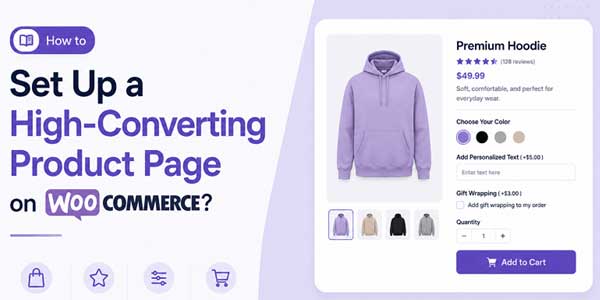
WooCommerce store owners today are just obsessed with driving traffic to their stores and spare no expense in doing so. However, they often overlook one factor that truly determines whether visitors will buy your product or simply leave. That factor is known as your product page, or basically, how the product page is configured to appear.
Sure, you can run ads, you can improve your store/site’s SEO, and you can also post your website and products all over social media. However, if your product pages are confusing, empty, and difficult to interact with, your conversions are not going to budge. .
Don’t get mistaken because a high-converting product page does not always rely on just good design. As of 2026, your customers expect to have a detailed set of information, various options for personalization, a transparent buying experience, and a smooth interaction overall before they place an order.
Lucky for you, WooCommerce provides you with enough flexibility to make a product page with additional details that increase the visitor’s confidence greatly. So, within this guide, we will explore some practical ways that allow us to improve your WooCommerce product pages.
We will also take a look at some of the features that continue to improve conversions for many online stores via add-ons.
Table of Contents
What Makes a Product Page Convert Better?
A converting product page does one simple thing well.
It removes hesitation.
Customers usually hesitate because:
- They do not understand the product fully
- They cannot customize it properly
- Important details are missing
- The page feels cluttered
- The buying process feels complicated
- The product does not feel personalized enough
The goal is to reduce friction and help customers feel certain about their purchase.
That is where strong product page optimization matters.
Product Addons Are Becoming Essential:
One thing becoming very common across successful WooCommerce stores is customization.
Customers no longer want rigid product setups.
They want:
- Personalized engravings
- Gift wrapping
- Custom text
- Extra accessories
- Add-on services
- File uploads
- Personalized packaging
- Product upgrades
This is exactly why WooCommerce product addons have become such an important part of modern WooCommerce stores.
Instead of offering one fixed product, store owners can give customers flexibility directly from the product page.
That small shift often improves conversions because shoppers feel more involved in the purchase.
Make Product Pages Feel Interactive:
Static product pages usually feel outdated now.
Modern customers interact more with pages that let them customize purchases.
For example:
A customer buying a mug may want:
- Custom text
- Color selection
- Premium packaging
- Image upload
- Rush delivery
Without addons, the customer either leaves or contacts support manually.
With proper product add-ons, WooCommerce functionality, everything happens directly on the product page.
That convenience matters a lot.
Use Better Product Descriptions:
A lot of stores still use short manufacturer descriptions copied from suppliers.
That usually hurts conversions.
Good product descriptions should:
- Explain real benefits
- Answer common concerns
- Mention sizing or compatibility
- Reduce confusion
- Sound natural
Instead of writing:
“Premium water bottle made from stainless steel.”
You could explain:
“This insulated bottle keeps drinks cold for hours and works well for travel, office use, and gym sessions.”
Customers respond better when descriptions feel practical instead of robotic.
Add Custom Options Without Overcomplicating Things:
One mistake stores make is adding too many customization steps.
Customers want flexibility, but they also want simplicity.
The best WooCommerce product addons setups keep things clean.
Useful addon examples include:
- Gift notes
- Checkbox upgrades
- Dropdown selections
- Text fields
- File uploads
- Date pickers
- Extra warranty options
The page should feel helpful, not overwhelming.
Why Product Addons Increase Average Order Value?
This is one of the biggest reasons stores use addons.
Customers naturally spend more when optional extras are shown clearly.
For example:
- Premium gift packaging
- Faster shipping
- Personalized printing
- Extra accessories
- Extended support
Instead of upselling aggressively, addons let customers build their ideal purchase.
That feels less pushy and more user-friendly.
A properly structured product add-ons WooCommerce setup can quietly increase revenue without affecting user experience negatively.
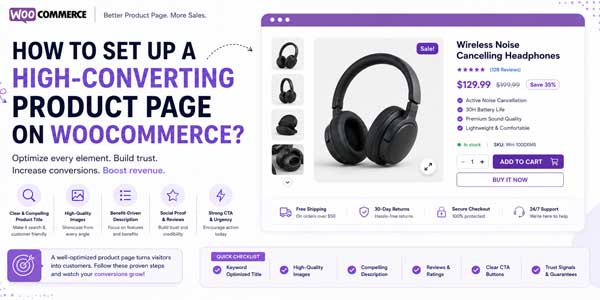
Visual Content Still Matters:
Even the best product descriptions cannot replace visuals.
High-converting pages usually include:
- Multiple product images
- Lifestyle photos
- Close-up shots
- Product videos
- Variation previews
Customers want to understand products visually before purchasing.
If possible, show products being used in real-life situations.
That builds confidence quickly.
Improve Mobile Shopping Experience:
A huge percentage of WooCommerce traffic now comes from phones.
But many product pages still feel difficult on smaller screens.
Things that hurt mobile conversions:
- Huge text blocks
- Tiny buttons
- Slow-loading galleries
- Cluttered addon fields
- Confusing layouts
A clean mobile product page almost always performs better.
Especially when using WooCommerce product addons, the layout should remain simple and easy to tap.
Build Trust Throughout the Product Page:
Customers rarely buy immediately if trust signals are missing.
Simple additions help a lot.
Examples include:
- Customer reviews
- Shipping details
- Return policies
- Secure payment icons
- Delivery estimates
- FAQs
Trust-building sections reduce uncertainty.
Use Conditional Addons Smartly:
One advanced strategy many stores now use is conditional product options.
Example:
If a customer selects “Gift Wrap,” additional gift note options appear.
If they choose “Custom Printing,” upload fields appear.
This keeps product pages cleaner while still allowing personalization.
That is another reason product add-ons, WooCommerce functionality has become increasingly valuable for stores selling customizable products.
Why Many Stores Use Product Addon Plugins?
Trying to build advanced customization systems manually inside WooCommerce can become frustrating.
Store owners often need:
- Pricing adjustments
- Conditional logic
- Multiple field types
- File uploads
- Personalized text fields
- Variation compatibility
Getting a WooCommerce product addons plugin by Extendons can be a practical solution because it helps add advanced customization features directly to product pages without heavy development work.
Many stores use add-ons to simplify personalized ordering instead of handling requests manually through emails.
Keep Checkout Flow Consistent:
Sometimes stores improve product pages but completely ruin the checkout experience.
Customers should carry their customizations smoothly into checkout and order summaries.
Addon selections should display clearly throughout the order process.
That transparency helps reduce customer confusion later.
Speed Still Affects Conversions:
No matter how beautiful the page looks, slow product pages hurt sales.
Common causes include:
- Oversized images
- Poor hosting
- Too many animations
- Badly coded plugins
- Heavy scripts
A high-converting product page should feel fast and responsive.
Final Thoughts:
Creating a high-converting WooCommerce product page is really about making buying easier.
Customers want better visuals, clearer information, smoother mobile experiences, and more personalization before they commit to a purchase.
That is why customization has become such a major conversion factor.
Using WooCommerce product addons allows stores to give customers more flexibility while improving user experience at the same time.
Instead of offering rigid products, businesses can create interactive product pages where shoppers personalize purchases based on their needs.
And if you want to add advanced personalization options without custom coding headaches, integrating a product add-ons WooCommerce plugin by Extendons can be a smart approach for improving both customer experience and average order value.
 About the Author:
Muhammad Safeer is an experienced digital marketer who works for Extendons. His passion is assisting people in using WordPress and WooCommerce in a creative manner. He enjoys researching and writing about social media platforms, SEO, and digital marketing developments. A big part of my work involves exploring plugins like WooCommerce product addons and understanding how they perform in real ecommerce environments.













Be the first to write a comment.