

Android operating system has grown into one of the most popular systems today due to its flexibility, frequent updates, and intuitive design. Each subsequent update comes with numerous advantages and enhancements in terms of performance, security, and new features of the device. Despite all the benefits offered by updates, most users only get to discover some obvious features.
Moreover, it is important to learn about updates and hidden features because updates will help you improve your device and provide an additional level of protection against any possible security threats. Discovering the hidden gems will also make your day-to-day activities easier and faster, thus saving your time and effort. Besides, customization possibilities provided by Android cannot be ignored.
This article covers three important things about Android: updates, secret options, and customizations. No matter whether you are new to Android or already familiar with it, this knowledge will enable you to get maximum benefit from your phone. You will learn how to update your device, what secrets it hides from you, and how to customize your Android system according to your personal preferences.
Table of Contents
Understanding Android Updates: What’s New and Why It Matters:
The Android update is one of the critical elements to make sure that everything works well and safely on your gadget. Such updates come with a major upgrade with new features and improved design, and security patches for vulnerability prevention. The importance of updates lies in providing users with improved performance, better power consumption, and access to more advanced features.
As updates are released constantly, one should pay special attention to them. It will help to improve the speed and productivity of a phone and avoid any inconvenience caused by system failures or bugs. Besides, updates include some useful features such as advanced options concerning privacy and managing notifications.
Fortunately, updates can easily be checked in the settings of the gadget. However, there are other aspects that should be taken into consideration, such as available storage space and compatibility issues. Moreover, ignoring updates might result in security issues and a lack of new options.
Hidden Features You Probably Didn’t Know Existed:
Android phones are endowed with numerous secret features that most Android users may not even know about, but these features aim to increase convenience, productivity, and overall user experience without the need for other applications.
Among others, some of these features include the use of gestures on your smartphone, where you swipe and tap on the phone to get around the device, rather than pressing buttons. Split-screen view, which is yet another feature, helps users multitask since they will simultaneously use two apps at once. Other useful functions come in handy, including the use of a screen recorder for tutorials.
Other useful Android features include the option of using Developer options, which provides access to numerous advanced settings, such as animation control and USB debugging. Moreover, the developer option feature remains hidden by default but can be activated through the phone settings. Further, apart from the numerous functionalities found in Android smartphones, there are the intelligent adaptive battery feature and the digital wellbeing feature.
Customization Basics: Personalizing Your Android Interface:
One of the greatest advantages of Android is that it can be customized according to personal tastes. The level of customization can be quite high, even from the point of view of some basic changes.
For example, wallpapers can be altered depending on user preferences; it can be a picture taken personally or a wallpaper downloaded from the internet. Additionally, themes are another way to customize by changing the general look of your device. Widgets can be used to show the weather, schedule some appointments, or just stay informed about the latest news.
In addition, there are specific launchers for Android phones that can completely change the design and operating system on your phone. Apart from launchers, there are also icon packs that users may use to change the look of the icons on their applications.
There are also some other possibilities, like changing fonts, lock screen layout, or notifications. All these simple actions can help you turn your phone into something more personal.
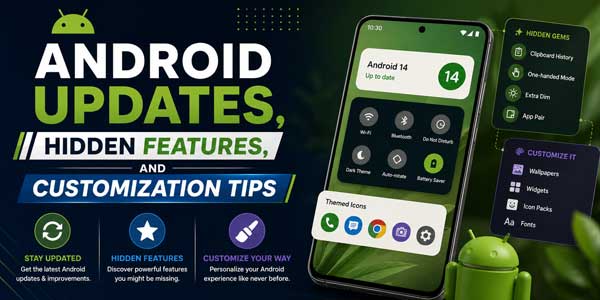
Advanced Customization: Taking Full Control of Your Device:
Users who wish to enjoy greater flexibility can resort to several more techniques that offer even better results when applied correctly. These techniques allow deeper access to the system, enabling powerful modifications.
Rooting an Android phone is one of the best-known ways that can offer the highest level of customization. However, it involves certain risks like voiding the warranty of a device and damaging the operating system.
Using custom ROMs is another way that may provide increased capabilities to an Android device. One of the advantages of using custom ROMs includes enhanced performance of the system and installation of various features.
The process of automating functions may become easier with the use of certain applications. For instance, you may set up the device to switch Wi-Fi on when you get back home or disable all notifications while attending a business meeting.
There are also Developer Options through which users can adjust various settings, like animation speed, in order to make the device operate faster. Nevertheless, before doing that, it is crucial to back up the data on your phone.
Tips and Tricks to Optimize Performance and Daily Use:
Getting your Android device optimized is a good way to make sure that you will have a smoother time using your device, as small steps can really do wonders for the performance of your Android device.
One of the simplest things one can do is manage the applications that are currently running. Closing out any applications you are not currently using or limiting their activity when not being used, it prevents unnecessary resources from being drained.
Another thing is to optimize your battery. You can minimize unnecessary activities to save more power, such as lowering screen brightness or even putting it into battery saving mode.
Updating your applications is an effective strategy to make sure that it does not interfere with the updates made by Google on the Android OS. Moreover, uninstalling unnecessary applications is also recommended. Additionally, using a smaller version of your application or other alternatives can also help make your phone run much more efficiently.
Conclusion:
Android is more than just basic smartphone operations through regular updates, hidden tricks, and customization possibilities. It is important to keep your device up-to-date to increase safety, performance, and enjoy all the new technologies offered by updates. On the other hand, using hidden tricks can help to make daily operations easier and faster for the user. Moreover, through simple or advanced forms of customization, users can tailor their experience based on their needs. Through this information, it will be possible to enjoy the capabilities of the device and make it more useful for day-to-day activities.
 About the Author:
Aditi Jaiswal is a content writer at Consegic Business Intelligence with a strong foundation in creating meaningful and engaging content. She explores topics across technology, digital ecosystems, and emerging trends, bringing clarity and depth to every piece she writes. Her content focuses on a sharp perspective and research-oriented approach, delivering content that not only informs but also sparks curiosity and conversation in an ever-evolving digital world.












![5-Best-WordPress-Plugins-For-Restaurants-[2026]](https://www.exeideas.com/wp-content/uploads/2026/09/5-Best-WordPress-Plugins-For-Restaurants-2026-300x150.jpg)
Be the first to write a comment.