










Maestro cards are no longer accepted at UK online casinos, but learn the real reasons, discover the best alternative payment methods, and see top-rated casinos for debit cards in 2026. see the full list of UK casinos that accept debit cards in 2026
You Are Viewing Posts Under Category: WordPress
How To Block Author Scans In WordPress For Hackers?
| August 28th, 2014 | 0 Comments | WordPress / WordPress SecurityAs you know that WordPress security is so weak that its quite easy for every newbie to break it if you will not do some changes. There are many ways to hack a WordPress blog but most easy way is through login form by entering random password through any script....
Blogger Vs WordPress – Why I Still Says Blogger Is Awesome?
| August 24th, 2014 | 8 Comments | Blogspot / WordPressBlogging is a platform where you can post your articles without editing anything else like in website. Blog is a CMS that will generate all required coding behind automatically to make a new page in your Blog and do whatever your blog want to do with a new page....
For Newbies: WordPress General Settings And Features Explained
| August 14th, 2014 | 0 Comments | WordPress / WordPress TipsLikewise every blogging platform, here WordPress also have setting option that will make WordPress more easier then else and fully customizable according to your desire. From here you can choose your blog setting that will also for you and your visitors too....
How To Delete All Spam Comments In WordPress By One Click?
| August 13th, 2014 | 2 Comments | WordPress / WordPress TipsThe biggest problem in WordPress is spam comment that ever user it experiencing. To keep you safe from this there are many spam remover plugins in WordPress that deleted spam comment or put them in spam for manual verification later....
For Newbies: WordPress Writing Settings And Features Explained
| August 12th, 2014 | 0 Comments | WordPress / WordPress TipsWordPress is a full featured platform for bloggers and also a open source so that you can add more features as per your desire. But if you are a newbie then WordPress also give you option to set your desired setting from their dashboard. Likewise other setting, Writing setting is also only for admin...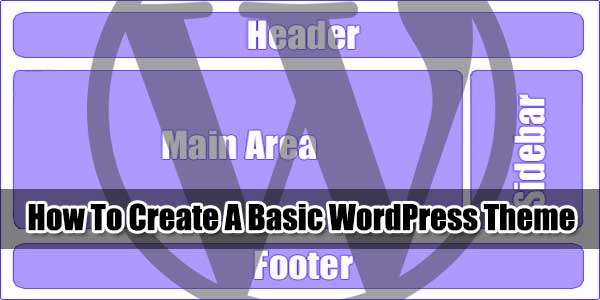
For Newbies: How To Create A WordPress Template From Scratch?
| August 11th, 2014 | 2 Comments | WordPress / WordPress TipsWordPress is an open source so everything is controllable from coding to designing. Now as you know that WordPress Themes are 99% premium and also a high price then its time to design your own theme with your desired features. From this you can save your money and also get your skills at top....