You Are Viewing Posts Under Category: Blogspot

Stylish And Awesome Big Email Subscription Box With Intro Text
| May 1st, 2016 | 20 Comments | Blogspot / Blogspot Widgets / Website / Website Widgets / WordPress / WordPress WidgetsDo you want to increase your email subscriber to increase your feeds readers that can increase your page views so first you have to attract them by showing a cool email subscription box on your web page or blog....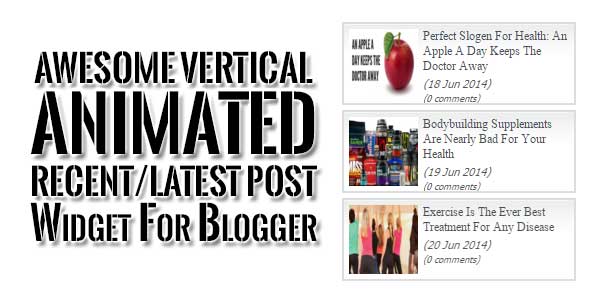
Awesome Vertical Animated Recent/Latest Post Widget For Blogger
| March 28th, 2016 | 10 Comments | Blogspot / Blogspot WidgetsVertical Animated Latest Post widget is a small widget that will show your Recent or Latest posts in an animated view that one popst will come and the last will be hide in awesome effect so your widget size will be same but posts will keep changing and it will attract your readers to click […...
Multi-Label Posts From One Blogspot RSS Feed Using JavaScript
| March 25th, 2016 | 0 Comments | Blogspot / Blogspot WidgetsIts Time To Get Your One Blog Posts Of Different Labels Using One Code Only Then Use Multi-Label Posts From One Blogspot RSS Feed Using JavaScript Code Snippet That Is Fully Optimized....
Blogger Latest-Recent Posts With Full Features
| March 23rd, 2016 | 8 Comments | Blogspot / Blogspot WidgetsBlogger Latest Posts is now a trending widget in Blogger. Blogger Recent Posts are important to show that what your posted just now. Blogger Latest Posts widgets can increase your page views and also be good for your SEO....
Fetch Data From Blogger Feed Using Pure JavaScript
| February 25th, 2016 | 10 Comments | Blogspot / Blogspot TipsLike every blog, Google Blog’s have there own Feed that can be called by many ways for your work. You can get the data from blogger feed means blogs and can use it anywhere. It is built for the purpose of Fetching Data From Blogger Feed. You can use many languages to Fetch Data From […]...
How To Use Parameters In Google Blogspot Blog Feed?
| February 24th, 2016 | 6 Comments | Blogspot / Blogspot TipsThis post presented for me to understanding the “Query Parameters in Blogspot Feed”. As we know, the URL to get feed items of our blog is http://yourblogname.blogspot.com/feeds/posts/default. You can review this feed after as my blog feed : http://googleblog.blogspot.com/feeds/posts/defa...