
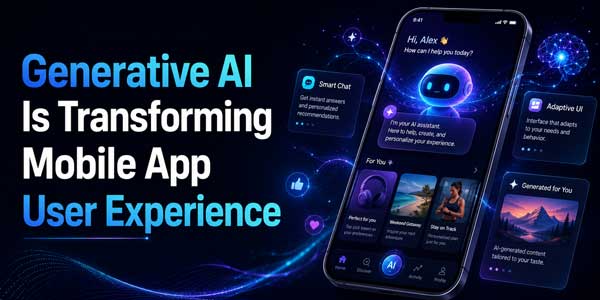
Generative AI in mobile apps has stopped being a differentiator and started being an expectation. Users don’t think in technical terms, but they notice the difference between an app that shows them the same screen as everyone else and one that responds to what they specifically typed, asked, or clicked. That shift is showing up across mobile app user experience in seven distinct ways, and not all of them get equal attention in product planning meetings.
Below is a breakdown of where this is actually changing user experience today, based on how apps across retail, banking, healthcare, and travel are deploying it right now – not speculative features still stuck in a lab.
Generative AI in mobile apps improves user experience by generating personalized content, interfaces, and responses in real time instead of showing every user the same static screen. This shows up most clearly in onboarding, search, support, content personalization, accessibility, and interface design – the seven areas covered below.
Table of Contents
1. Onboarding Stops Being a One-Size-Fits-All Tutorial
Generative AI personalizes mobile app onboarding by building a user’s first experience around a stated goal, rather than routing everyone through the same fixed tutorial. Most apps still open new users with an identical walkthrough, regardless of why that person downloaded the app in the first place. Generative AI changes this by letting the app build a starting point around what the user actually says they want.
A language-learning app can generate a first lesson plan around a stated proficiency level instead of routing everyone through the same “beginner” track. A budgeting app can build an initial dashboard around a goal a user typed in their own words, rather than showing a generic template. The user reaches something useful in the first two minutes instead of clicking through five setup screens that may not apply to them at all.
2. How Generative AI Improves Mobile App Search
Modern mobile apps now use generative AI to search by using natural language processing to interpret what a user means, instead of requiring the exact keyword the app expects. Traditional in-app search rewards users who know the precise term the app has indexed. Generative AI removes that requirement by interpreting intent from natural, conversational phrasing.
Someone can type “something cheap for a weekend trip” into a travel app and get relevant results, instead of needing to know the app’s specific filter categories. This matters more than it sounds, because keyword-dependent search has quietly frustrated users for years without anyone flagging it as the actual point of drop-off. AI mobile app development teams working on contextual search report fewer abandoned queries and less back-and-forth before a user finds what they’re looking for.
3. How Generative AI Improves In-App Customer Support
Generative AI-powered support resolves specific user questions by generating a direct, contextual answer instead of matching the question to a pre-written script. Static FAQs and decision-tree chatbots only work if a user’s question happens to match a path someone already anticipated. Conversational AI models can handle the actual, oddly phrased question a real user has.
A banking app can answer “why does my balance look different than yesterday” directly, instead of routing the user through a glossary of transaction types. This reduces both the volume of support tickets and the time it takes a user to get an answer they trust, which is one of the more measurable ROI cases for AI-powered mobile apps right now.
4. Content Adjusts Itself to How a Specific Person Reads
Generative AI app features reshape existing content itself – summarizing, simplifying, or rewriting it – based on how a specific user tends to engage, rather than just recommending the same content to everyone. Instead of showing every user the same product description or article length, the app adapts the content in real time.
A news app might shorten an article for a user who typically skims, while keeping full detail for a user who usually reads to the end. A retail app might emphasize durability in a product description for a shopper who has previously left reviews mentioning product longevity. This is a meaningfully different form of personalized mobile app experience than the recommendation engines of the past decade, since the content itself is generated rather than just reordered.
5. Personalization Gets Deeper, and So Does the Trust Question
A personalized mobile app experience built on generative AI depends on user data, which makes transparency and user control central design requirements rather than optional extras. This is the part of the shift that carries the most risk if handled carelessly, since deeper personalization requires deeper access to behavior, history, and sometimes sensitive details.
Users are generally comfortable sharing data when they understand the exchange and can see it working in their favor. They get uneasy the moment personalization feels invisible or unexplained. Apps that give users a simple way to see why they’re seeing a specific recommendation, and a straightforward option to turn personalization down, tend to keep user trust intact. Apps that treat personalization as a black box tend to train users to distrust every suggestion the app makes, which undercuts the entire feature.
6. Accessibility Improves Without Requiring Manual Fixes for Every Screen
Generative AI improves mobile app accessibility by automatically producing alt text, simplified phrasing, and voice-navigation support, instead of relying on manual, screen-by-screen fixes. This is one of the least discussed but most practically useful applications of generative AI in mobile apps.
This matters at scale. A development team manually writing alt text for every image across a large app is a slow, easy-to-skip task, and it’s usually the first thing cut when a release deadline gets tight. Generative AI closes that gap automatically, which means accessibility improvements happen continuously instead of only during periodic audits.
7. Interfaces Are Being Redesigned Around Variable, Not Fixed, Output
AI UX design has to account for outputs that change each time, which means interfaces need built-in ways to signal, correct, and control generated content rather than relying on fixed, predictable screens. This is the shift most product teams underestimate.
Users need a clear way to tell generated content apart from fixed content, since ambiguity here erodes trust quickly. Interfaces need a built-in path to correct or regenerate an answer, because generative output isn’t always right and users need an easy way to fix that without starting over. Loading states matter more than before, since generation takes longer than pulling static content, and a blank screen for even two seconds reads as broken. And user control has to stay visible – a suggestion someone can’t easily edit or dismiss stops feeling helpful and starts feeling like the app is deciding things without them.
Teams skipping these details are the ones whose AI features look strong in a demo and frustrate real users within the first week of release.
A Quick Gut-Check Before Adding Any of This to Your App
Not every one of these seven areas applies to every app, and forcing all of them in is a fast way to add cost without adding value. Before building any generative AI feature, it’s worth checking:
- Does this solve a friction point users have actually complained about, or one the team is assuming exists?
- Is there a fallback for when the generated output is wrong or low-confidence?
- Can a user turn the feature off without losing core functionality?
- Has the team tested this on a slow connection, not just fast office Wi-Fi?
- Can the team explain, in plain language, what data this feature relies on?
What This Means for Mobile App Development Trends 2026
Mobile app development trends 2026 point toward generative AI shifting from a bolt-on feature to a planning-stage decision, with on-device processing, multimodal models, and smaller task-specific models leading the change. The pattern across all seven areas above points toward the same conclusion.
On-device models are reducing both latency and how much data needs to leave the phone at all. Multimodal models handling text, voice, and images together are showing up in customer-facing apps to make interactions feel less like filling out a form. And smaller, task-specific models are gaining ground over large general-purpose ones, mainly because they’re cheaper to run and easier to tune to a single app’s actual use case.
Teams that treat generative AI as core infrastructure, planned early alongside things like offline support, tend to ship a more coherent experience than teams that add it screen by screen after launch.
Key Takeaways
- Generative AI in mobile apps generates personalized content and responses in real time, rather than showing every user the same static screen.
- The seven areas seeing the clearest UX impact are onboarding, search, support, content personalization, deeper personalization, accessibility, and interface design.
- Natural language processing and conversational AI are replacing rigid keyword search and scripted support flows.
- Personalization only builds trust when it’s paired with transparency and easy user controls over data.
- AI UX design requires new defaults: labeling generated content, building in correction paths, and managing response latency.
- Mobile app development trends 2026 show generative AI becoming a planning-stage decision rather than an added-on feature.
Conclusion
Generative AI in mobile apps isn’t one feature anymore – it’s a set of small, specific shifts across onboarding, search, support, content, personalization, accessibility, and interface design. None of them require an app to add AI everywhere at once. The most successful mobile apps won’t be the ones with the most AI features, but the ones that use generative AI to solve real user problems with clarity, transparency, and measurable value.
 About the Author:
Piyush Chauhan, CEO and Founder of EncodeDots, is a visionary leader transforming the digital landscape with innovative web and mobile app solutions for startups and enterprises. With a focus on strategic planning, operational excellence, and seamless project execution, he delivers cutting-edge solutions that empower thrive in a competitive market while fostering long-term growth and success.













Be the first to write a comment.