
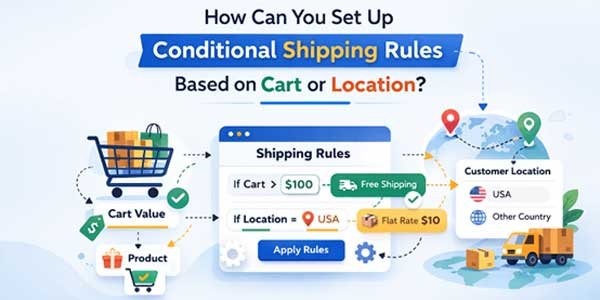
Managing checkout options strategically is no longer optional for growing online stores. If customers see irrelevant shipping methods or unavailable payment gateways, confusion increases, and this leads to an increase in cart abandonment. That’s where conditional shipping and payments WooCommerce solutions become not only essential, but very crucial for your online stores!
In this guide, we’ll explain how to set up conditional shipping rules based on cart details or customer location using a powerful rule-based approach. You’ll also discover how the right plugin can simplify complex checkout logic without custom development options.
Table of Contents
What Is Extendons Conditional Shipping and Payment Methods for WooCommerce?
The Conditional Shipping and Payment Methods for WooCommerce is a rule-based plugin that allows store owners to control which shipping methods and payment gateways appear at checkout.
Instead of showing every available option to every customer, the plugin lets you apply logic based on:
- Cart totals
- Order weight
- Cart item count
- Products or categories
- Shipping classes
- Coupon codes
- User roles
- Billing and shipping country
- Postcodes
- Backorders and sale products
It allows for precise control over WooCommerce conditional shipping and payments, helping you alter the checkout behavior according to business rules, compliance needs, and logistical constraints.
Core Features of the Plugin:
The plugin is built around a flexible rule engine that applies to both shipping methods and payment gateways.
Payment Gateway Rules
You can:
- Hide specific gateways
- Show only selected gateways
- Prevent order submission
- Apply AND / OR condition logic
- Set conditions based on cart, product, customer, or location
Shipping Method Rules
You can:
- Hide specific shipping methods
- Show only selected shipping methods
- Apply cart-based or location-based conditions
- Use comparison operators like <, >, =, ≤, ≥
- Combine multiple conditions within one rule
All rules are managed under:
WooCommerce → Settings → Payment and Shipping Settings
Two separate tabs are available:
- Payment Gateways
- Shipping Methods
This separation keeps shipping and payment logic organized while allowing full control.
How to Set Up Conditional Shipping Rules Based on Cart or Location?
Now let’s address the core question:
How do you configure conditional shipping rules using cart values or customer location?
Here’s the step-by-step process.
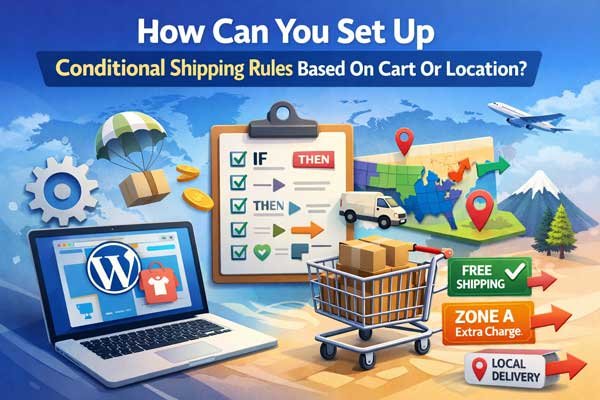
Step 1: Ensure Shipping Methods Are Active
Before creating rules:
- Go to WooCommerce → Settings → Shipping
- Confirm your shipping methods are enabled
- Configure shipping zones properly
Without active shipping methods, conditional rules will not apply.
Step 2: Create a New Shipping Rule
- Navigate to WooCommerce → Settings → Payment and Shipping Settings
- Open the Shipping Methods tab
- Click Add New Shipping Rule
A configuration pop-up will appear.
Step 3: Define Rule Settings
1. Rule Name
Assign a clear name such as:
- “Hide Free Shipping Below $50.”
- “Show Local Pickup for US Only”
This helps manage multiple rules easily.
2. Target Shipping Methods
Select which shipping method the rule applies to:
- Free Shipping
- Flat Rate
- Local Pickup
- Or any custom method
Step 4: Choose the Action Type
You can select:
- Hide Only These Methods
- Show Only These Methods
For example:
- Hide Free Shipping if cart total is less than $50
- Show Express Shipping only for certain countries
Step 5: Set Cart-Based Conditions
To create cart-based rules, choose from:
- Cart Total
- Order Weight
- Cart Item Count
- Product
- Category
- Shipping Class
- Coupon Code
Then apply comparison logic such as:
- < (Less Than)
- > (Greater Than)
- = (Equals)
- ≤ (Less Than or Equal To)
- ≥ (Greater Than or Equal To)
Example 1: Hide Free Shipping Below $100
- Condition: Cart Total
- Operator: <
- Value: 100
- Action: Hide Only These Methods → Free Shipping
Result: Customers only see Free Shipping when they meet the minimum threshold.
Step 6: Set Location-Based Conditions
Location-based rules are essential for international stores.
You can configure rules using:
- Billing Country
- Shipping Country
- Billing Postcode
- Shipping Postcode
Example 2: Show Local Pickup for a Specific Country
- Condition: Shipping Country
- Operator: = Value: United States
- Action: Show Only These Methods → Local Pickup
This ensures customers outside the US do not see irrelevant options.
Step 7: Combine Conditions Using AND / OR Logic
You can create more advanced scenarios:
Example 3: Show Express Shipping for High-Value Orders in Canada
Conditions:
- Shipping Country = Canada
- AND Cart Total ≥ 200
Action:
- Show Only These Methods → Express Shipping
This allows layered rule creation without conflicts.
Why Cart and Location-Based Shipping Rules Matter?
Using conditional shipping and payments, WooCommerce logic improves checkout efficiency by:
- Removing irrelevant shipping options
- Preventing customer confusion
- Supporting region-specific compliance
- Encouraging higher cart values
- Reducing failed orders
Strategic checkout control often directly impacts conversion rates.
Good Plugin Options for Conditional Shipping Rules:
If you’re evaluating solutions, here are strong options available in the market.
1. Extendons Conditional Shipping and Payment Methods for WooCommerce
Best for: Stores needing complete control over shipping and payments.
Strengths:
- Unified rule management
- Cart-based and location-based conditions
- AND / OR logic support
- Comparison operators for precise targeting
- Works for both shipping and payment methods
Ideal for businesses that require advanced WooCommerce conditional shipping and payment setups without coding.
2. Conditional Shipping and Payments
Best for: Stores needing product-based shipping/payment restrictions.
Strengths:
- Restrict methods by product
- Useful for compliance-driven stores
- Simple interface
Limitations:
- Less flexible for advanced cart comparisons
3. Table Rate Shipping for WooCommerce
Best for: Stores with complex shipping cost structures.
Strengths:
- Advanced shipping cost calculation
- Weight and price-based tiers
Limitations:
- Focused primarily on shipping cost logic, not payment control
Conclusion:
Setting up conditional shipping rules based on cart value or customer location is essential for modern online stores. It helps streamline checkout, prevent confusion, and align logistics with business policies.
With Extendons Conditional Shipping and Payment Methods for WooCommerce, you can easily configure cart-based thresholds, country restrictions, postcode rules, and multi-condition logic — all without writing a single line of code.
When implemented correctly, conditional shipping and payments WooCommerce strategies don’t just simplify checkout; they make it smarter, more efficient, and conversion-focused.
If your store serves multiple regions or uses varied pricing structures, structured shipping rules are no longer optional; they’re a competitive advantage.
 About the Author:
I’m Jeff Harrison. I’ve been writing about WooCommerce for quite a while now, mostly by actually installing plugins and seeing how they behave inside real stores. I spend a lot of time working with tools like conditional shipping and payments WooCommerce, and similar add-ons that are meant to make customization and store management less of a headache. I usually focus on what the plugin really offers once it’s active, how pricing makes sense over time, and whether the features hold up after you start using them properly. I’m not too interested in polished marketing claims. The goal is simple: help store owners understand if a plugin will genuinely be useful for their setup or if it’s something they’ll uninstall a week later.













Be the first to write a comment.