
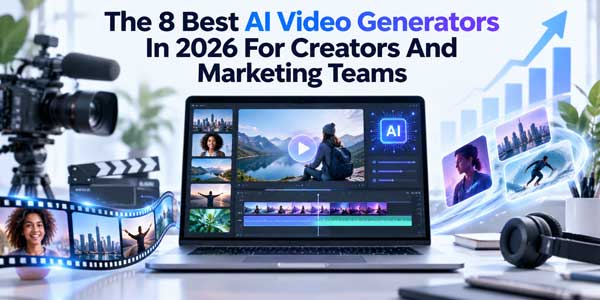
AI video generation has moved well beyond the novelty stage. In 2026, creators can generate clips from text, animate still images, transform existing footage, add synchronized audio, and build variations for different social platforms without starting every project from scratch.
For marketing teams, the bigger question is no longer simply whether a tool can make an impressive clip. It is whether that tool fits into a repeatable production workflow: Can you create enough variations? Does it offer the models or controls your projects require? Can a designer work in the browser while a developer uses an API? And what happens to the cost when experimentation becomes part of the process?
There is no single answer for every team. The following list focuses on practical use cases, workflow breadth, model access, ease of iteration, and pricing. It does not claim that every tool was independently tested in identical conditions.
Table of Contents
How to Choose an AI Video Generator?
Before comparing platforms, it helps to define what “good” means for your particular workflow.
- Model access: Some platforms build around their own models, while others provide access to several models. Multi-model platforms can be useful when different projects call for different visual styles or generation characteristics.
- Input options: Text-to-video is only one part of modern AI video production. Image-to-video, video-to-video, reference images, audio, and editing tools can be equally important.
- Iteration speed: Marketing work rarely ends with the first generation. Look for tools that make it practical to produce variations, compare concepts, and refine outputs.
- Commercial rights and pricing: Check exactly what the plan includes before using generated material in paid campaigns. Credit systems can also make apparently inexpensive tools more or less practical depending on how frequently you generate.
- Workflow integration: Teams should consider whether the service works entirely in the browser, supports templates, provides an API, or allows creative and technical workflows to coexist.
With those criteria in mind, here are the leading options worth considering in 2026.
1.) Magic Hour — Best All-in-One AI Video Workflow:
Magic Hour stands out because it approaches AI video as a broader production workflow rather than a single text-to-video feature. Its platform combines video generation, image generation, editing, templates, and production APIs, while allowing users to select from multiple supported video models.
For creators and marketing teams, that flexibility matters. A project might begin with an AI-generated image, move into image-to-video, receive a stylistic transformation, and then be adapted into several formats. Instead of moving assets between several specialist applications, much of that process can happen within one platform.
Magic Hour currently lists models including Veo 3.1, Sora 2, Kling 3.0, Seedance 2.0, LTX 2.3, Wan 2.2, and others. Model availability depends on the tool and plan, so teams should check the current model list before planning a production workflow.
The platform also has a large template library, with templates covering formats and creative styles for channels such as TikTok, Instagram, and YouTube.
A useful starting point for creators is the AI video generator, where supported core tools can be tried without a signup. Magic Hour says its free text-to-video tool offers three generations per day without an account, while account and paid plans provide additional capacity and features.
Another practical advantage is the credit system. Magic Hour says unused subscription credits roll over without expiration, although users should still check the specific terms attached to their account, plan, or promotion because different credit types can have different rules.
Current listed monthly pricing is Free; Creator at $19/month; and Pro at $39/month. Annual billing reduces the effective monthly prices to $12 for Creator and $25 for Pro. Creator includes three concurrent generations, while Pro includes five; both provide API access.
Pros
- Broad video, image, editing, and production workflow
- Access to multiple leading video models
- Free no-signup starting point for supported tools
- Templates for faster creative exploration
- Credits can roll over without expiration under the stated subscription policy
- API access for developers
- Browser-based workflow suitable for desktop and mobile use; Magic Hour’s 2026 changelog specifically documents tool availability across desktop and mobile.
Cons
- Credit consumption varies by model and generation settings
- The broad feature set can take time to learn
- Free outputs and premium-model access have different limitations
Best for: Creators, agencies, startups, and marketing teams that want one environment for experimentation, production, and API-based workflows.
2.) Google Veo — Best for Cinematic Generation and Native Audio:
Google’s Veo 3.1 is designed for filmmakers and storytellers and supports text-to-video, image-to-video, native audio generation, reference images, scene extension, first-and-last-frame workflows, object insertion and removal, and camera controls. It can generate video at 1080p and 4K in supported workflows.
The native audio capability is particularly relevant to marketers producing concept videos, product scenes, advertisements, or social clips where dialogue and environmental sound are part of the creative brief.
Google also documents limitations, including ongoing challenges with natural and consistent spoken audio in some shorter speech segments.
Pros
- Strong emphasis on realism and physical motion
- Native audio generation
- Reference-image and character workflows
- Advanced creative controls
Cons
- Access and pricing depend on the Google product or API route used
- Generation quality and consistency can vary by prompt and scene
- Some advanced capabilities are better suited to experienced creators
Best for: Filmmakers, agencies, and marketers producing cinematic concepts or videos where synchronized sound is important.
3.) Runway — Best for Creative Video Workflows:
Runway remains an important name for teams that want AI generation combined with a broader creative-production environment. Its appeal is less about producing one spectacular prompt and more about incorporating generative video into an established visual workflow.
For creative teams, this can make sense when AI generation needs to sit alongside editing, image work, visual experimentation, and iteration rather than operate as an isolated generator.
Pros
- Designed around creative production
- Useful for experimentation and visual development
- Strong fit for professional creative workflows
Cons
- Advanced usage can become expensive as generation volume increases
- The learning curve is higher than simple prompt-to-video websites
- Teams need to evaluate which features they actually need
Best for: Creative professionals, agencies, and visual teams already comfortable with AI-assisted production.
4.) Adobe Firefly — Best for Teams Already Using Adobe:
Adobe Firefly is particularly relevant for organizations already working inside the Adobe ecosystem. Its advantage is the ability to incorporate generative capabilities into broader creative workflows instead of treating video generation as a completely separate activity.
Adobe’s current Firefly offering also provides access to multiple video models. Its documentation lists the Firefly Video Model alongside models including Google Veo 3.1 Fast, Kling, Luma Ray, and Runway models on eligible plans.
Pros
- Natural fit for Adobe-centric teams
- Multiple generative models are available through eligible plans
- Useful for organizations with established creative workflows
Cons
- Pricing and model access vary by plan
- The broader Adobe ecosystem can be more than a small creator needs
- Users should check current generation limits before planning high-volume campaigns
Best for: Marketing departments, designers, and agencies already using Adobe Creative Cloud.

5.) Kling — Best for Motion-Focused Experiments:
Kling has become a significant option for creators interested in generated movement, cinematic shots, and more controlled video prompting. Its availability through other creative platforms also means creators may encounter Kling models without necessarily using a standalone Kling workflow.
For marketers, Kling can be useful when a concept depends heavily on motion: product movement, camera changes, action sequences, or visually dynamic social content.
Pros
- Strong focus on motion and cinematic generation
- Useful for short-form creative experimentation
- Available through some multi-model platforms
Cons
- Results can require substantial prompt iteration
- Costs can increase with repeated generations
- Model access and features change quickly
Best for: Social creators and marketing teams producing dynamic short-form concepts.
6.) Luma — Best for Visual Ideation:
Luma’s video-generation tools are well suited to visual experimentation, concept development, and turning ideas into moving scenes. This makes them useful during the early stages of a campaign, when a team needs to explore several directions before committing to a final production approach.
The biggest benefit of this type of workflow is speed of ideation rather than replacing every part of a conventional video-production pipeline.
Pros
- Useful for visual concept development
- Good fit for experimentation
- Can complement existing creative workflows
Cons
- AI-generated clips still require human selection and editing
- Pricing and model availability can change
- Complex campaigns may need additional editing tools
Best for: Creative ideation, storyboarding, social concepts, and visual experimentation.
7.) Pika — Best for Social-Friendly Creative Effects:
Pika is geared toward accessible AI video creation and effects, making it particularly relevant to creators who produce short-form content for social platforms.
Rather than approaching every project as a miniature film production, creators can use tools like this for transformations, effects, quick visual jokes, and short attention-grabbing sequences.
Pros
- Accessible approach to AI video creation
- Useful for social-first experimentation
- Good fit for short creative concepts
Cons
- Not necessarily a complete production environment for larger teams
- Advanced projects may require additional tools
- Output suitability depends heavily on the specific creative
Best for: TikTok, Reels, Shorts, and other social-first creators.
8. OpenAI Sora — An Important Name to Understand, But Not a Current Standalone Choice:
Sora deserves mention because it played a major role in the development of consumer-facing AI video generation. However, it should not be treated as a currently available standalone option in a 2026 buying guide.
OpenAI states that the Sora product was discontinued on April 26, 2026.
That distinction matters when researching older AI video lists. A comparison written before the shutdown may still contain useful historical information, but its recommendations should not automatically be carried forward into a current buying decision.
Which AI Video Generator Should You Choose?
The right choice depends on what you actually need to produce.
If your priority is one broad workflow combining generation, editing, templates, multiple models, and API access, Magic Hour is a practical starting point. Its current pricing structure also gives individuals and teams several ways to scale from free experimentation to higher-volume production.
If cinematic generation and native audio are central to the project, Google’s Veo 3.1 deserves close consideration.
If your organization is already heavily invested in Adobe, Firefly may make more sense because it fits into an established creative ecosystem.
And if your goal is mainly fast social experimentation, simpler creator-focused platforms can be more appropriate than a full production suite.
The most useful way to evaluate any of these tools is to test them against your actual workflow. Use the same type of brief you would give a real client or campaign: create several concepts, generate variations, check the editing process, calculate the cost of usable outputs rather than raw generations, and verify commercial-use terms before publication.
AI video is improving quickly, but the winning workflow is rarely the one with the flashiest demo. For most creators and marketing teams, consistency, iteration speed, predictable costs, model access, and a sensible path from first idea to finished asset matter just as much as visual quality.












Be the first to write a comment.