
Create your Google Plus Profile Banner similar to Facebook Profile Banner.I guess that despite Google + is really extraordinary compared to Facebook, a number of you guys still feel not satisfied with it. Fortunately, the Google Social Network has just been in beta phrase so that we can wait more powerful, innovative and friendly features when it will be officially released widely in the time to come. In addition to that, we also wait for more features and extensional functions from thirt-party partners when Google provides APIs for independent and individual developers.
In this article, I will introduce you a tiny, simple but useful web apps tool named Google Plus Picture that allows you to create a banner on the top page of your Google + profile.
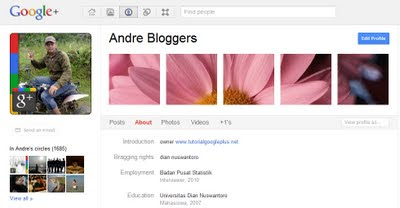
As you see on the picture, there are an extra “banner” on the top bar of the Google + profile, next to the right of the usual Avatar picture. In fact, this is not a real “banner”, instead it is a regular picture that is split into 5 slots/grids at first and then joined into one again.
Naturally, when you visit a Google + profile URL, there is no such thing, so you might let other be surprised with this kind of banner/picture on a Google + profile. Also, by adding this special photo to your profile, probably you will draw some attention from other followers.
In this article, I will introduce you a tiny, simple but useful web apps tool named Google Plus Picture that allows you to create a banner on the top page of your Google + profile.
As you see on the picture, there are an extra “banner” on the top bar of the Google + profile, next to the right of the usual Avatar picture. In fact, this is not a real “banner”, instead it is a regular picture that is split into 5 slots/grids at first and then joined into one again.
Naturally, when you visit a Google + profile URL, there is no such thing, so you might let other be surprised with this kind of banner/picture on a Google + profile. Also, by adding this special photo to your profile, probably you will draw some attention from other followers.
Just See An Awesome Demo
Do The Following Simple Step To Get It…
First Of All Create A 625×125 px Image Which You Want To Display On Facebook Profile Banner.
Then Design It By Using Paint, Photoshop Or Any Other Tools It The Best And Make Cool & Stylish.
Then Open The Website…
Then Upload Your Image There.
Now Open “Split“
And Set Your Setting To:-
Rows: 1
Columns: 5
Format; “Which You Want”
Then Click Split And Download The RAR Pack Of You Splitted Images.
Then Un-RAR That File And You Get 5 Images.
These Are 125×125 px (5 Images).
Then Open Google Plus Account.
And Set Your Setting To:-
Rows: 1
Columns: 5
Format; “Which You Want”
Then Click Split And Download The RAR Pack Of You Splitted Images.
Then Un-RAR That File And You Get 5 Images.
These Are 125×125 px (5 Images).
Then Open Google Plus Account.
Go To Your Profile And Click “Edit Profile”.

Click Add Some Photos Here.
Then Click On First Box “Upload Image”.
First Upload First Image, Then Second, Then Third, Then Fourth, Then Fifth.
Click “Ok”.


If You Have Click Done Editing.
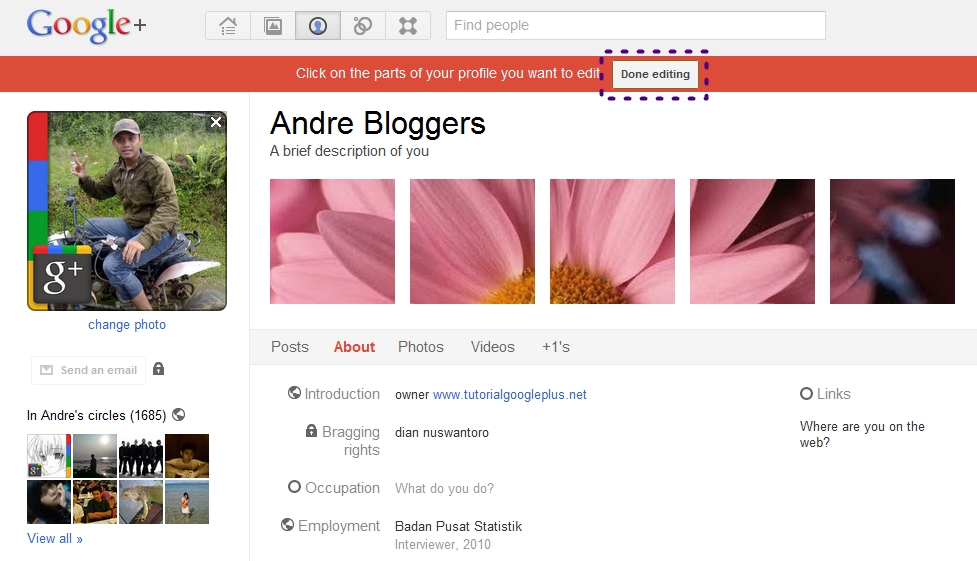
Now You Are Done.













Useful post. In some days i have searching to read this type of post
Thanks…