
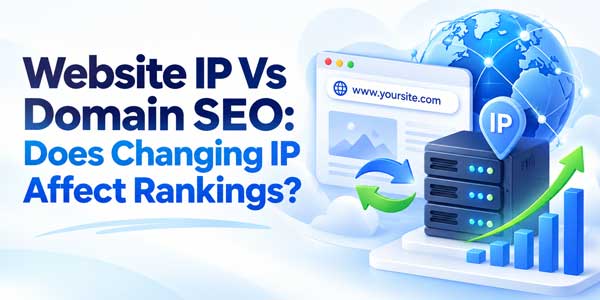
Website owners often become nervous when a hosting provider announces a server migration, a new dedicated IP address, a move to Cloudflare, or a change from one data center to another. The immediate question is usually the same: Will changing my website IP address damage my Google rankings?
In most normal situations, the answer is no. Your website’s IP address is part of the infrastructure used to deliver your site, while your domain name and URLs are the public addresses search engines and users normally interact with.
Google has specific documentation for changing hosting infrastructure without changing visible URLs. The migration process focuses on keeping the website available, crawlable, technically identical where appropriate, and correctly connected through DNS rather than preserving the exact same IP forever.
That distinction is important because modern websites change infrastructure constantly. Sites move between hosting companies, switch cloud providers, add CDNs, introduce load balancers, migrate from IPv4 to IPv6-capable environments, and rotate server addresses without automatically losing their SEO.
Quick Answer: Your Website’s IP Address Is Usually Not Something You Need To Preserve For SEO. You Can Change The Server IP Or Hosting Provider Without Losing Rankings If Your Domain, URLs, Content, Crawlability, Status Codes, Canonicals, HTTPS, And Performance Continue Working Correctly.
This guide explains exactly how IP addresses, domain names, DNS, server location, dedicated IPs, shared hosting, CDNs, and hosting migrations affect SEO, what can actually cause rankings to fall during an IP change, and how to move your website to a new server safely.
Table of Contents
What Is The Difference Between A Domain Name And An IP Address?
A domain name and an IP address are connected, but they are not the same thing.
Your domain name is the human-readable address users type into a browser, such as:
example.com
An IP address identifies a network destination used by computers to communicate with the server or infrastructure serving the website.
An IPv4 address might look like:
203.0.113.25
An IPv6 address is longer and uses a different format.
The Domain Name System, commonly called DNS, connects the domain to the appropriate infrastructure. When someone requests your website, DNS helps their device discover where the domain should be served from.
A Simple Website Request Flow
- User Requests The Domain. The visitor opens
https://example.com. - DNS Resolves The Hostname. DNS returns information that leads the browser to the correct server or CDN.
- The Browser Connects. The request reaches the hosting infrastructure.
- The Server Identifies The Host. Modern hosting can serve many domains from the same infrastructure.
- The Website Responds. HTML, CSS, JavaScript, images, and other resources are returned.
From an SEO perspective, the public URL remains:
https://example.com/page/
It does not suddenly become the server’s numeric IP just because the hosting infrastructure changes.
Which Is More Important For SEO: The Domain Or The IP?
The domain and its URLs are far more relevant to ordinary SEO management than the server IP.
Search engines crawl pages by URL. Your canonical tags, backlinks, internal links, XML sitemap, redirects, structured data, hreflang implementation, and Search Console properties are all primarily organized around URLs and hostnames.
Your domain can accumulate important business and search-related signals over time, including:
- Backlinks.
- Brand recognition.
- Branded search demand.
- Indexed URLs.
- Historical content.
- Internal linking relationships.
- User trust.
- External citations.
An ordinary hosting IP does not work in the same way as a domain’s public identity.
This is why moving example.com from one hosting provider to another while preserving the same URLs is fundamentally different from changing the website from example.com to newexample.com.
The first is mainly an infrastructure move. The second is a site move involving URL changes and requires redirects, URL mapping, stronger migration planning, and time for ranking signals to consolidate.
Does A Website IP Address Directly Affect Google Rankings?
For normal websites, you should not treat the specific numeric IP address as a direct ranking lever that needs to be optimized.
Modern hosting architecture makes such an approach impractical. One IP address may serve many websites, while one major website may be served through many IP addresses across a CDN, cloud platform, or load-balanced infrastructure.
A website can also change IP addresses over time for perfectly legitimate technical reasons.
For SEO, what matters much more is whether Google can reliably access the website and whether the pages provide a strong search experience.
Important factors include:
- Googlebot accessibility.
- Correct HTTP status codes.
- Website speed.
- Server reliability.
- HTTPS configuration.
- Mobile usability.
- Canonical consistency.
- Content quality.
- Internal linking.
- Helpful page experience.
An IP change becomes an SEO issue mainly when it breaks one of these things.
Can I Change My Website IP Address Without Hurting SEO?
Yes. Changing a website’s IP address is a normal part of changing hosting providers, cloud infrastructure, origin servers, or CDN configurations.
If the visible website URLs remain unchanged, you generally do not need to redirect every page just because the underlying IP changed.
For example, before the move:
example.com → Old Server IP
After the move:
example.com → New Server IP
The public page can remain:
https://example.com/blog/seo-guide/
As long as that page still loads correctly and returns the same intended content, Google can continue crawling it under the same URL.
What You Should Preserve During The IP Change
- The same domain.
- The same URL structure.
- The same canonical URLs.
- The same important content.
- The same HTTPS behavior.
- The same robots rules.
- The same XML sitemap URLs.
- The same redirects.
- The same structured data where applicable.
- The same Search Console verification.
The safer the infrastructure change is from the user’s perspective, the less reason there is for search performance to change materially.
What Can Actually Hurt SEO When Changing IP Or Hosting?
The IP change itself is usually not the dangerous part. The surrounding migration can create serious problems if poorly implemented.
Website Downtime
If DNS begins pointing users and Googlebot toward a new server that is unavailable, the site may return connection failures or 5xx server errors.
A brief technical interruption is different from a site remaining inaccessible for hours or days.
Persistent downtime can interfere with crawling and eventually affect search visibility.
Googlebot Gets Blocked
New firewalls, Web Application Firewalls, bot protection, DDoS systems, hosting rules, or CDN security policies can accidentally block Googlebot.
This is one of the most important checks during a server migration.
Your new infrastructure must allow legitimate Google crawling.
Robots.txt Changes
Developers often block crawlers on a staging environment using:
User-agent: *
Disallow: /
The problem occurs when that staging configuration accidentally reaches production.
The IP migration then appears to have caused an SEO loss when the actual cause is a crawler-blocking robots file.
Noindex Accidentally Goes Live
A staging website may contain:
<meta name="robots" content="noindex">
If the production migration copies this setting, Google may eventually remove important pages from its index.
This is a much larger SEO problem than the IP change.
Canonical URLs Change
A new server or CMS configuration can accidentally output canonical tags pointing to:
- A staging domain.
- An old domain.
- HTTP instead of HTTPS.
- www instead of the intended non-www hostname.
- Incorrect page URLs.
Canonical mistakes can change how Google understands duplicate pages and preferred URLs.
Redirect Rules Disappear
Important redirects may live in:
.htaccess.- Nginx configuration.
- Cloudflare rules.
- WordPress plugins.
- Application middleware.
- Hosting control-panel settings.
If these are not migrated, old backlinks and historical URLs can start returning 404 errors.
Website Performance Gets Worse
A cheaper or poorly configured new host may increase:
- Server response time.
- Database latency.
- Page generation time.
- Image delivery time.
- JavaScript latency.
Users feel the slowdown even though the domain has not changed.
Performance can therefore create an indirect SEO effect associated with the hosting migration.
SSL Or HTTPS Breaks
If the new server does not have a valid TLS certificate or its HTTPS configuration is incorrect, users and crawlers may encounter certificate problems.
Always test the production hostname over HTTPS before completing the migration.
Does Shared Hosting IP Hurt SEO?
For ordinary commercial hosting, sharing an IP address with other websites is not automatically an SEO problem.
This is extremely common. Shared hosting platforms may serve many domains using the same infrastructure, and CDNs can also serve enormous numbers of sites through shared edge networks.
Google evaluates websites far more granularly than simply saying:
“One bad website exists on this IP, therefore every website sharing this IP is bad.”
That would produce unreliable search results because shared infrastructure is fundamental to the modern web.
What If Other Sites On My IP Are Spammy?
In normal shared hosting, you should not assume that a spammy neighbor automatically transfers an SEO penalty to your website.
Your own site’s content, technical configuration, links, behavior, and policy compliance matter.
There is, however, an edge case worth understanding. Google has historically documented action against severely abused free hosting services where a significant fraction of the service is spam.
That is different from an ordinary paid shared hosting environment containing unrelated legitimate customers.
If your hosting platform has serious abuse, malware, uptime, blacklisting, or security problems, moving hosts can still be a good business decision even when the IP itself is not the ranking problem.
Do I Need A Dedicated IP Address For Better SEO?
No. A dedicated IP address is not a standard requirement for strong Google rankings.
A dedicated IP can still be useful for technical or operational reasons, depending on your infrastructure.
Possible reasons include:
- Special server configuration.
- Network access controls.
- Legacy application requirements.
- Enterprise firewall whitelisting.
- Private integrations.
- Special email or networking requirements.
But purchasing a dedicated IP purely because someone claims it will directly increase organic rankings is not a strong SEO strategy.
Your budget is usually better invested in:
- Faster hosting.
- Better uptime.
- A CDN.
- Image optimization.
- Technical SEO.
- Content improvements.
- Internal linking.
- Legitimate digital PR.
Does The Server Country Or IP Location Affect SEO?
Server location is much less important for geographic search targeting than many old SEO tutorials suggest.
The modern web commonly uses cloud platforms and CDNs that separate users from the physical location of the origin server.
A business targeting the United Kingdom can operate its infrastructure in another country while serving UK users quickly through a CDN.
Search engines have many stronger signals for understanding regional relevance.
These can include:
- Country-code domains.
- Localized content.
- Language.
- Local addresses.
- Local backlinks and citations.
- Currency.
- Regional product information.
- Hreflang relationships.
Server location can still matter indirectly because physical distance can affect latency.
If most of your users are in Pakistan and your site is served only from a distant slow server with no caching or CDN, performance may suffer. The SEO issue in that case is the poor experience and infrastructure performance, not a theoretical IP-country penalty.
Can A CDN Change My IP Without Affecting SEO?
Yes. This happens routinely.
When you use a CDN such as Cloudflare or another reverse-proxy network, public DNS may point toward the CDN rather than exposing your origin server IP directly.
Visitors may also be routed to different CDN edge servers depending on geography and network conditions.
This means the apparent IP serving your website can vary without changing:
- Your domain.
- Your URLs.
- Your content.
- Your canonical URLs.
- Your search identity.
A properly configured CDN can improve performance, caching, resilience, and security.
However, a bad CDN configuration can create SEO issues if it:
- Blocks Googlebot.
- Creates redirect loops.
- Serves stale pages.
- Returns frequent 5xx errors.
- Changes canonical tags.
- Creates duplicate hostnames.
Again, the problem is the configuration rather than the fact that the IP changed.
Does IP Reputation Matter For SEO?
The phrase IP reputation is used frequently, but it is important to separate different systems.
An IP can develop a poor reputation for:
- Email spam.
- Brute-force attacks.
- Malware distribution.
- Automated abuse.
- Bot attacks.
This can affect email deliverability, firewall decisions, blocklists, hosting security, and network access.
That does not mean ordinary Google organic rankings are determined by a simple IP reputation score.
If a compromised server is hacked and begins serving malware or spam pages, then SEO can absolutely suffer. But the underlying issue is that your website has become unsafe or spammy, not merely that the numeric IP has a bad history.
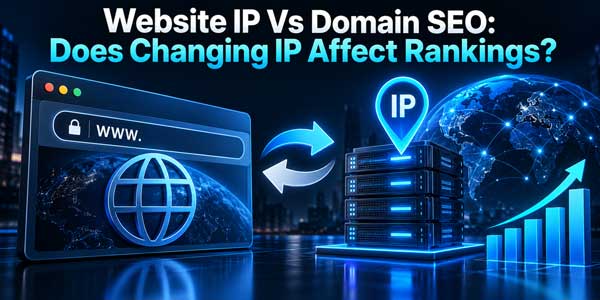
Can Changing IP Improve SEO?
Changing the IP itself should not be viewed as an SEO optimization tactic.
However, changing hosting infrastructure can improve SEO indirectly if the move results in a substantially better website experience.
Potential improvements include:
- Faster server response.
- Higher uptime.
- Better caching.
- Improved CDN delivery.
- Faster database queries.
- Better scalability.
- More reliable HTTPS.
- Stronger security.
If a poor host regularly crashes during traffic spikes and a new cloud environment remains fast and stable, the migration can support long-term search performance.
But the benefit comes from better infrastructure, not from receiving a different IP number.
How To Change Website IP Without Losing SEO
Use a controlled hosting-migration process.
Step One: Back Up The Entire Website
Create backups of:
- Website files.
- Database.
- Media library.
- Server configuration.
- Redirect rules.
- DNS records.
- SSL configuration.
- Environment variables.
Do not rely only on the hosting provider’s automated backup.
Step Two: Prepare The New Hosting First
Do not point your live domain toward an empty server and then begin configuring the website.
Build the new environment first.
Copy the production website and confirm that all major functionality works.
Step Three: Test The New Server Privately
You can test through:
- A temporary hostname.
- Local hosts-file mapping.
- Private staging access.
- IP-restricted testing.
If you use a temporary public hostname, prevent it from becoming an indexed duplicate of your live website.
Google’s hosting-migration documentation specifically recommends testing new infrastructure before switching DNS.
Step Four: Check Googlebot Accessibility
Make sure the new firewall, CDN, WAF, or DDoS solution does not block legitimate Googlebot requests.
Check production behavior using Search Console after launch and review server logs where possible.
Step Five: Lower DNS TTL Before The Move
TTL, or Time To Live, determines how long DNS information can remain cached.
Lowering TTL before migration can help DNS changes propagate more quickly.
Google’s current hosting-migration guidance suggests lowering DNS TTL to a conservative low value, such as a few hours, ahead of the move.
Step Six: Confirm The Site Is SEO-Identical Where Required
Compare old and new environments.
Verify:
- Page titles.
- Meta descriptions.
- Canonical tags.
- Robots directives.
- Structured data.
- Internal links.
- XML sitemap.
- Featured images.
- Open Graph tags.
- Redirects.
A server migration is a bad time to accidentally remove half of your SEO configuration.
Step Seven: Change DNS To The New Infrastructure
Once testing is complete, update the appropriate DNS record.
Depending on your setup, this may involve:
- An A record.
- An AAAA record.
- A CNAME.
- A CDN configuration.
- Nameserver changes.
This is the step where users gradually begin reaching the new environment as DNS caches refresh.
Step Eight: Keep The Old Server Running
Do not immediately terminate the old hosting account the second you update DNS.
Some users, crawlers, ISPs, or resolvers may still use cached DNS information temporarily.
Google recommends monitoring traffic on both the old and new environments and shutting down the old infrastructure only after traffic has moved successfully.
Step Nine: Monitor Search Console
Watch for unexpected changes in:
- Crawl activity.
- Page indexing.
- Server errors.
- HTTPS status.
- Core Web Vitals.
- Search clicks.
- Search impressions.
A temporary change in Googlebot crawl rate after a hosting move can be normal.
The important question is whether Googlebot can access the new infrastructure reliably without serious errors or slowdowns.
A Complete SEO Hosting Migration Checklist
- Create Full Backups.
- Copy The Website To The New Server.
- Test Forms, Login, Search, Checkout, And APIs.
- Compare Important SEO Metadata.
- Verify Canonical URLs.
- Check Robots.txt.
- Remove Staging Noindex Rules Before Launch.
- Verify XML Sitemap Availability.
- Test HTTPS And Certificates.
- Test 301 Redirect Rules.
- Check 404 And 5xx Responses.
- Verify Googlebot Is Not Blocked.
- Lower DNS TTL Before Migration.
- Update DNS.
- Keep Old Hosting Active Temporarily.
- Monitor Both Server Logs.
- Check Search Console.
- Measure Website Speed Before And After.
- Shut Down Old Hosting Only After Traffic Has Moved.
Should You Change Domain And IP At The Same Time?
If possible, avoid combining multiple major changes into one migration.
Changing:
- Hosting.
- Domain.
- CMS.
- Website design.
- URL structure.
- Content.
all at once makes troubleshooting significantly harder.
If rankings fall, you will not know whether the problem came from:
- The server.
- Redirect mapping.
- Content changes.
- Technical SEO.
- Internal links.
- Canonical changes.
A safer principle is:
Change One Major Layer At A Time Whenever Practical.
What If I Change Both The Domain And Hosting?
That becomes a more complex site migration.
If:
oldexample.com/page/
becomes:
newexample.com/page/
you are changing public URLs, not merely infrastructure.
You should then implement a proper domain-migration strategy, including:
- Old-to-new URL mapping.
- Permanent server-side redirects.
- Updated canonical tags.
- Updated internal links.
- Updated sitemap.
- Backlink-update outreach where valuable.
- Search Console monitoring.
The ranking effects associated with that process should not be blamed on the server’s new IP.
Do I Need To Update Google Search Console After An IP Change?
If the same domain and URL structure remain in place, you normally do not create a completely new Search Console property merely because the server IP changed.
However, make sure your existing ownership verification still works.
Verification can fail if you forget to migrate:
- An HTML verification file.
- A verification meta tag.
- A DNS verification record.
- Related analytics configuration.
DNS-based Domain property verification generally remains independent of the hosting server itself as long as the verification record remains intact.
What About WordPress Website IP Changes?
WordPress migrations introduce a few additional areas that deserve attention.
Confirm:
siteurlremains correct.homeremains correct.- Permalink structure remains unchanged.
- SEO plugin settings migrate successfully.
- Redirect plugin data is preserved.
- Cache configuration is rebuilt.
- XML sitemap still works.
- Featured images load correctly.
- Media URLs do not point to staging.
If the domain is staying the same, you generally should not perform unnecessary database search-and-replace operations on URLs.
Move the site cleanly, change the infrastructure, and preserve the public website identity.
Does Changing From IPv4 To IPv6 Affect SEO?
IPv6 support itself is not something that should reduce SEO performance when configured correctly.
The important issue is connectivity.
If you publish an AAAA record for IPv6 but your IPv6 server path is broken, some users or crawlers may encounter failures.
Therefore:
- Test IPv4.
- Test IPv6.
- Verify HTTPS on both paths.
- Check firewall rules.
- Monitor server logs.
Do not publish network routes simply because they look technically modern. Publish them when they work reliably.
Does A Website Need A Static IP For SEO?
No. A website does not need a permanently static dedicated IP simply to rank in Google.
What users and crawlers need is reliable DNS resolution and reliable content delivery.
Managed cloud services can move infrastructure internally while preserving stable public endpoints.
CDNs can dynamically route traffic across networks.
These architectures are compatible with strong SEO when implemented correctly.
Common Myths About IP Addresses And SEO
Myth One: Dedicated IP Always Ranks Better
There is no general SEO rule that a dedicated IP automatically ranks higher than shared hosting.
Myth Two: Sharing An IP With Spam Sites Gives You Their Penalty
Ordinary shared hosting does not work like this. Websites are not automatically treated as identical simply because infrastructure is shared.
Myth Three: Changing IP Resets Domain Authority
Your external backlinks normally point to your domain URLs, not your hosting IP.
Changing the origin server does not automatically erase those links.
Myth Four: Hosting In America Is Required To Rank In America
Search geography is more sophisticated than a simple origin-server country check.
Serve users quickly and create genuinely relevant localized experiences.
Myth Five: A New IP Automatically Improves SEO
Changing infrastructure can improve speed or reliability, but the new numeric address itself should not be viewed as an SEO boost.
When Should You Actually Change Hosting Or IP?
Change infrastructure when it improves real technical or business requirements.
Good reasons include:
- Poor uptime.
- Slow website performance.
- Weak server security.
- Insufficient CPU or memory.
- Database bottlenecks.
- Traffic growth.
- Need for better CDN coverage.
- Bad support.
- Outdated server software.
- Need for better deployment systems.
These are far more meaningful reasons than chasing an imaginary SEO advantage from a specific IP block.
Final Verdict On IP Address, Domain, And SEO
For most websites, the domain and its URLs are far more important to SEO strategy than the specific server IP address.
Your IP address is infrastructure. It helps requests reach the environment serving your website, but it does not function like a domain name with backlinks, branded searches, canonical URLs, and indexed page history.
You can change your website’s IP address without damaging SEO when the migration is handled correctly.
Preserve your domain and URLs. Make sure the new server returns the correct content and HTTP status codes. Keep canonical tags, robots directives, HTTPS, XML sitemaps, structured data, internal links, and redirects working correctly.
Test Googlebot accessibility, especially if you introduce a new firewall or CDN. Lower DNS TTL before the move when practical, update DNS only after the new environment is tested, and keep the old hosting running until traffic has transitioned.
Shared hosting is also generally fine for SEO, and purchasing a dedicated IP should not be treated as a ranking strategy. Likewise, changing server countries does not automatically determine where your site can rank.
If moving to a new server improves speed, uptime, scalability, security, or reliability, the migration can benefit your website indirectly. But the improvement comes from the infrastructure quality rather than from having a different IP number.
The biggest SEO mistake is not changing IP.
It is changing IP while accidentally breaking the website.
Keep The URLs Stable, Keep Googlebot Access Stable, Keep The Website Fast And Available, And A Normal Server IP Change Should Be A Technical Infrastructure Event Rather Than An SEO Crisis.
Everyday Reader Frequently Asked Questions
Does Website IP Address Affect SEO Rankings?
A website’s specific IP address is generally not something you need to optimize as a direct ranking factor. What matters much more is that search engines can reliably access the website and that the site remains fast, secure, crawlable, technically correct, and useful to users.
Can I Change My Website IP Without Losing Google Rankings?
Yes. You can change hosting or server IP while preserving SEO if the domain and URLs remain stable and the new infrastructure serves the correct content without downtime, crawler blocks, broken HTTPS, incorrect canonicals, lost redirects, or major performance problems.
Is A Dedicated IP Better For SEO Than Shared Hosting?
No. A dedicated IP is not generally required for SEO. Modern hosting and CDN systems routinely serve many websites through shared infrastructure. Choose a dedicated IP only when you have a genuine technical or operational requirement.
Does Server Location Affect Local SEO?
Server location is not the primary signal for local or international search targeting. Content relevance, language, country-code domains where applicable, local business information, links, and other regional signals are more meaningful. Server location can still affect user experience indirectly through latency if the site lacks appropriate caching or CDN delivery.
What Should I Do Before Changing Hosting Or IP?
Back up the website, copy and test it on the new infrastructure, verify Googlebot accessibility, check SEO metadata and redirects, lower DNS TTL where appropriate, validate HTTPS, update DNS, keep the old server running during propagation, and monitor Search Console and server logs after launch.













Be the first to write a comment.